
This process allows adding a Prepaid Amount to orders with Cash on Delivery (COD) payment mode.
Applicable Tabs
-
Pending Orders
-
Assign Location
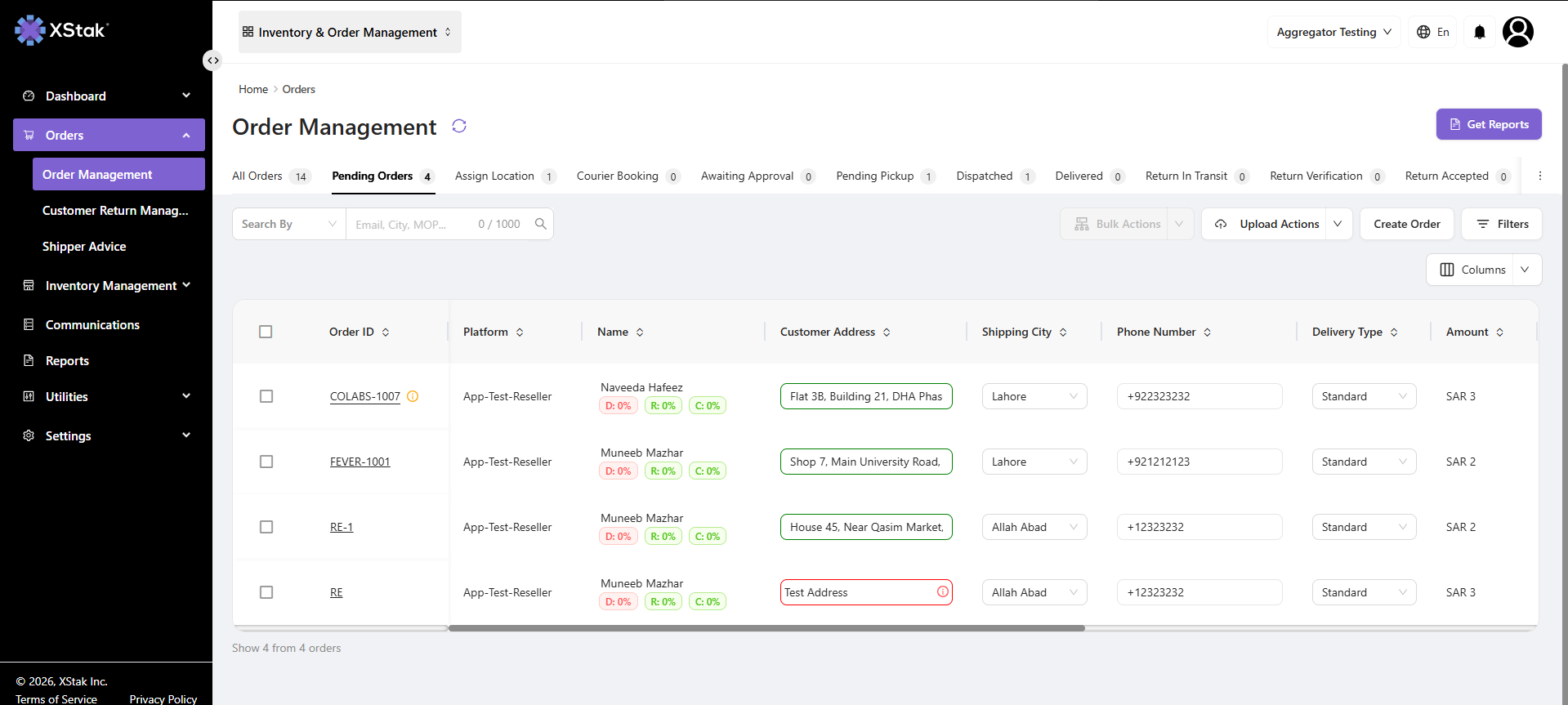
Open Order Details
-
Go to any applicable tab
-
Click on the Order ID
-
The Order Details page will open
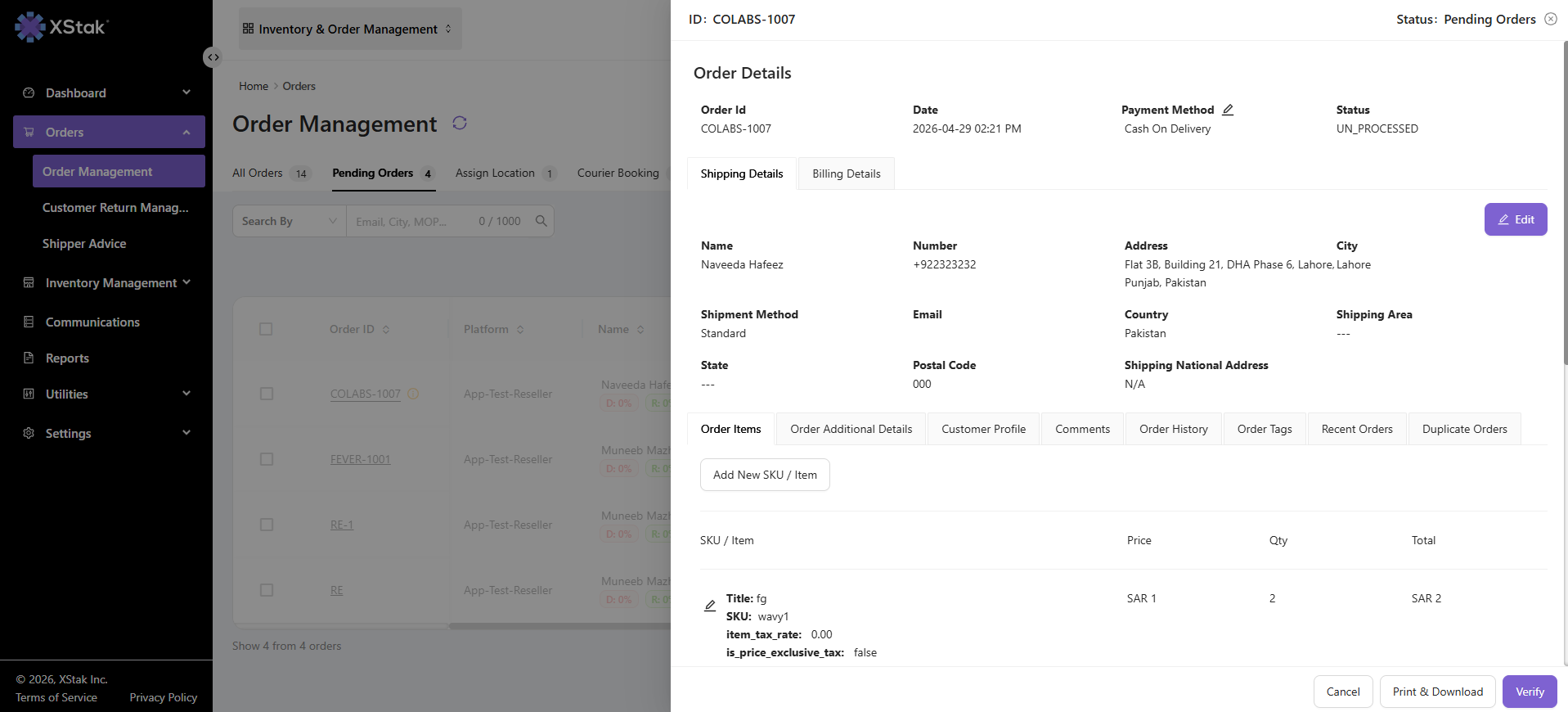
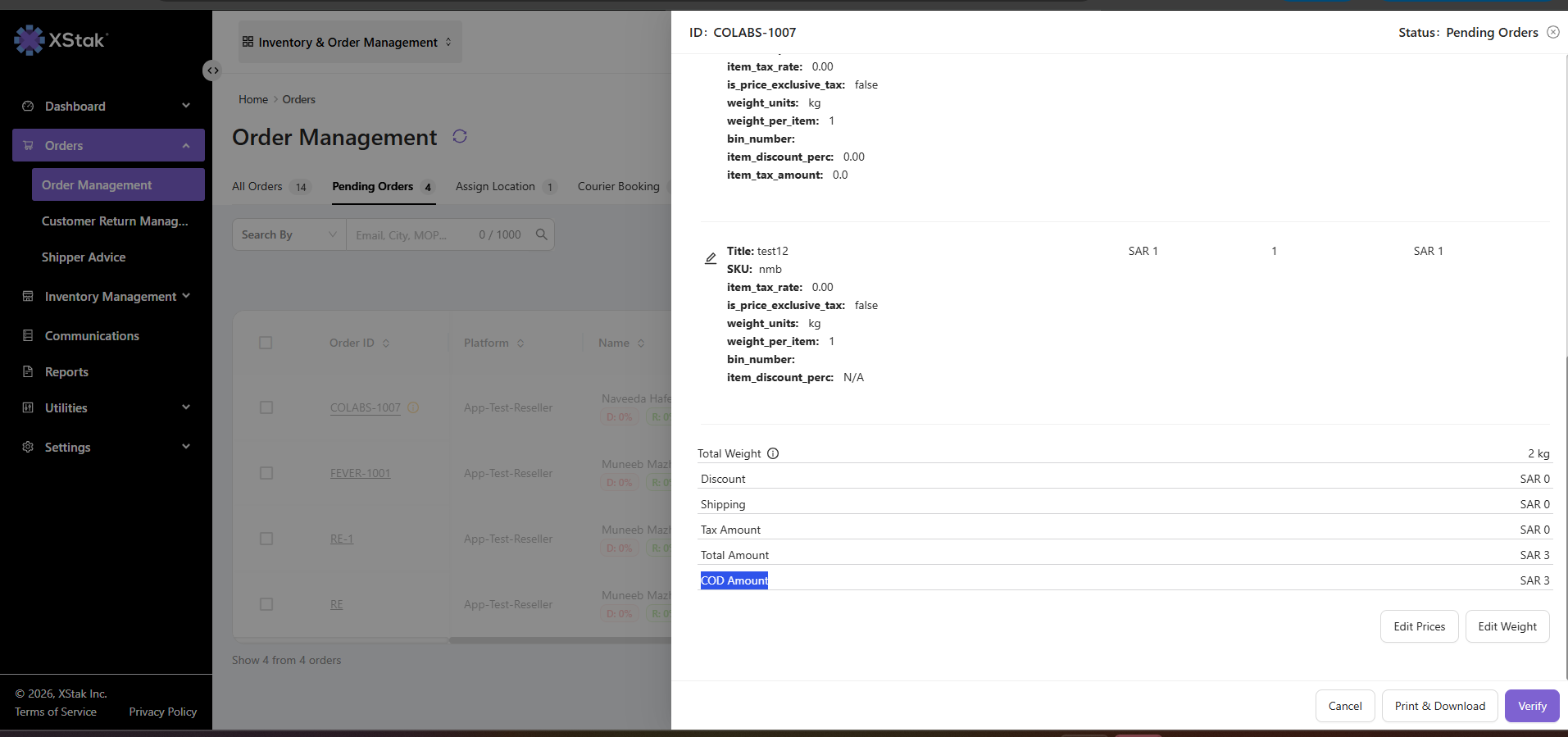
View COD Amount
-
Open the Order Items tab
-
Here you can view the COD amount of the order
Navigate to Additional Details
-
Scroll down in the Order Details page
-
Open the Order Additional Details tab
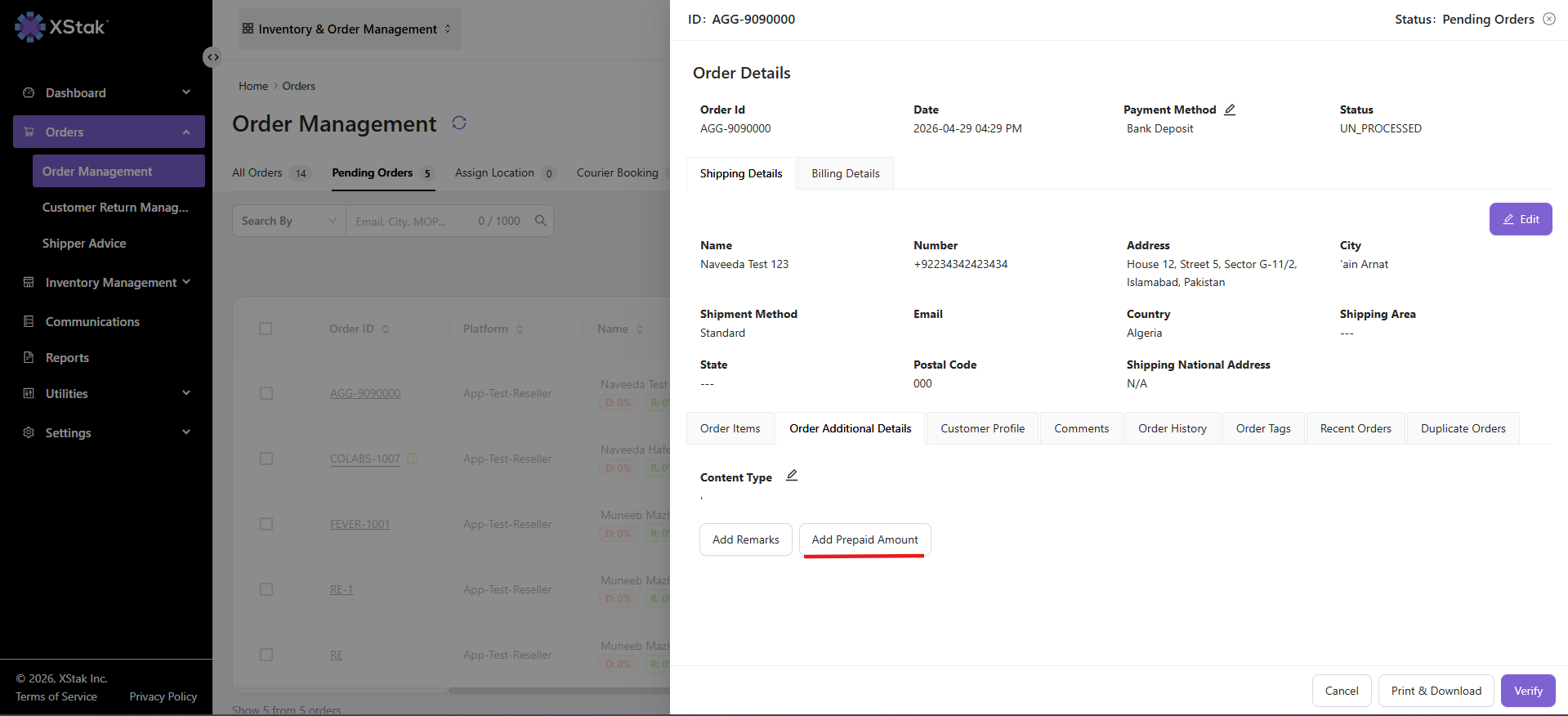
Add Prepaid Amount
-
Click on Add Prepaid Amount
-
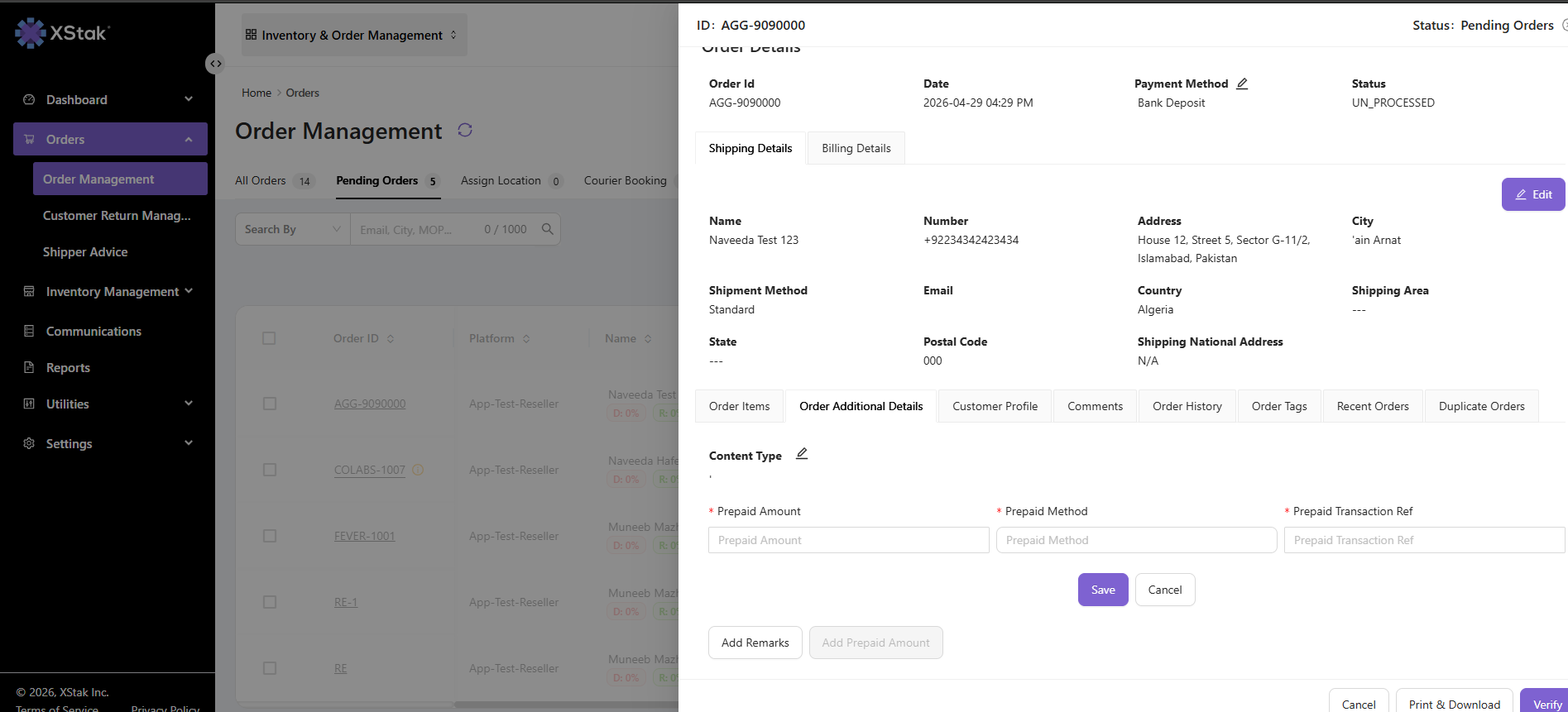
A form will open to enter payment details
Fill Payment Information
Enter the required details:
-
Prepaid Amount (amount to be collected in advance)
-
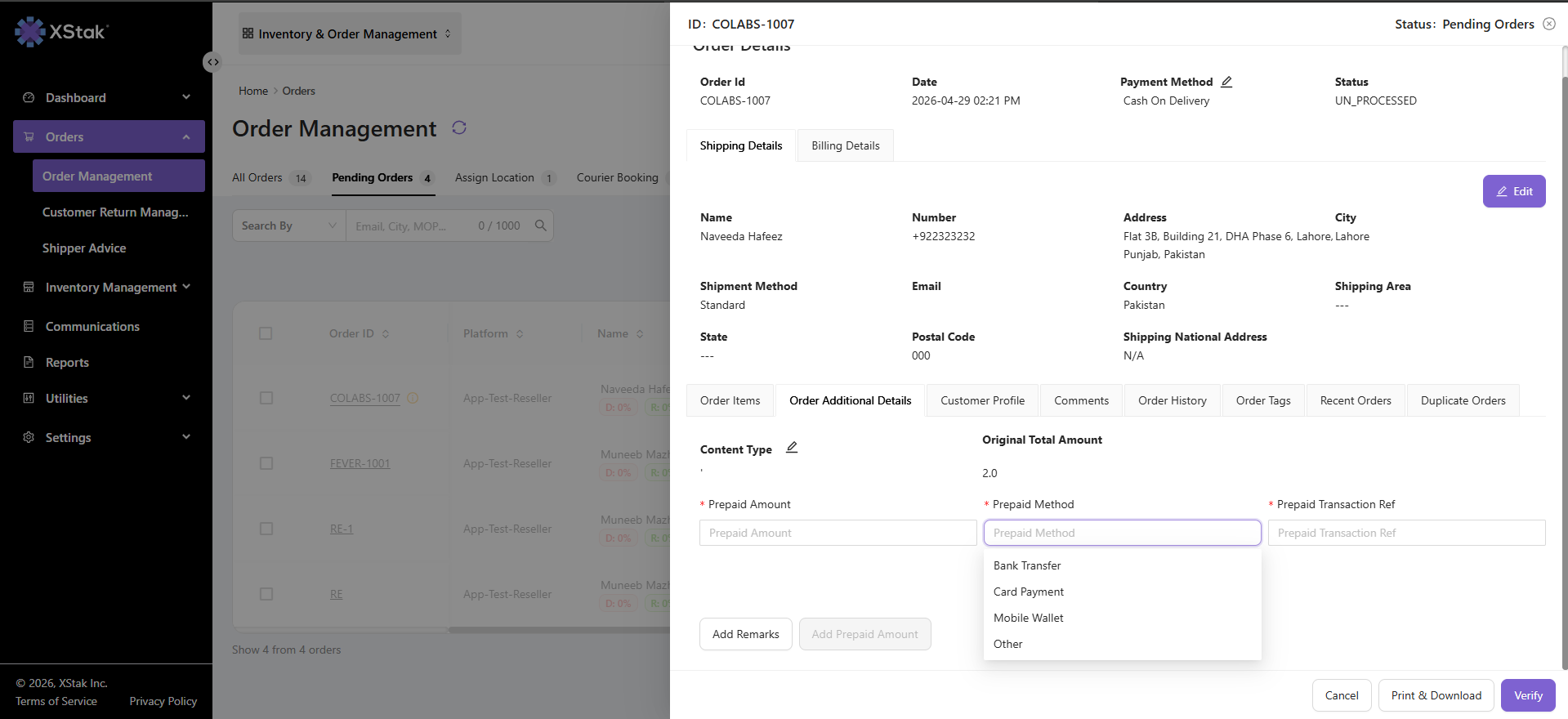
Payment Method (MOP)
-
Bank Transfer
-
Mobile Wallet
-
Card Payment
-
Other
-
Save Details
-
Click on Save
Result
-
Prepaid amount is added to the order
-
The system updates the order financial breakdown
-
COD amount is adjusted accordingly
Important Notes
-
This feature is only available for COD orders
-
Prepaid amount must be handled carefully to avoid mismatch in total order value
-
Payment method selection is mandatory