
The Pending Refund Orders tab in OMS helps you manage orders that require refund processing. Orders move here from the Return Verification tab when a refund is required, and remain here until the refund is marked successfully.
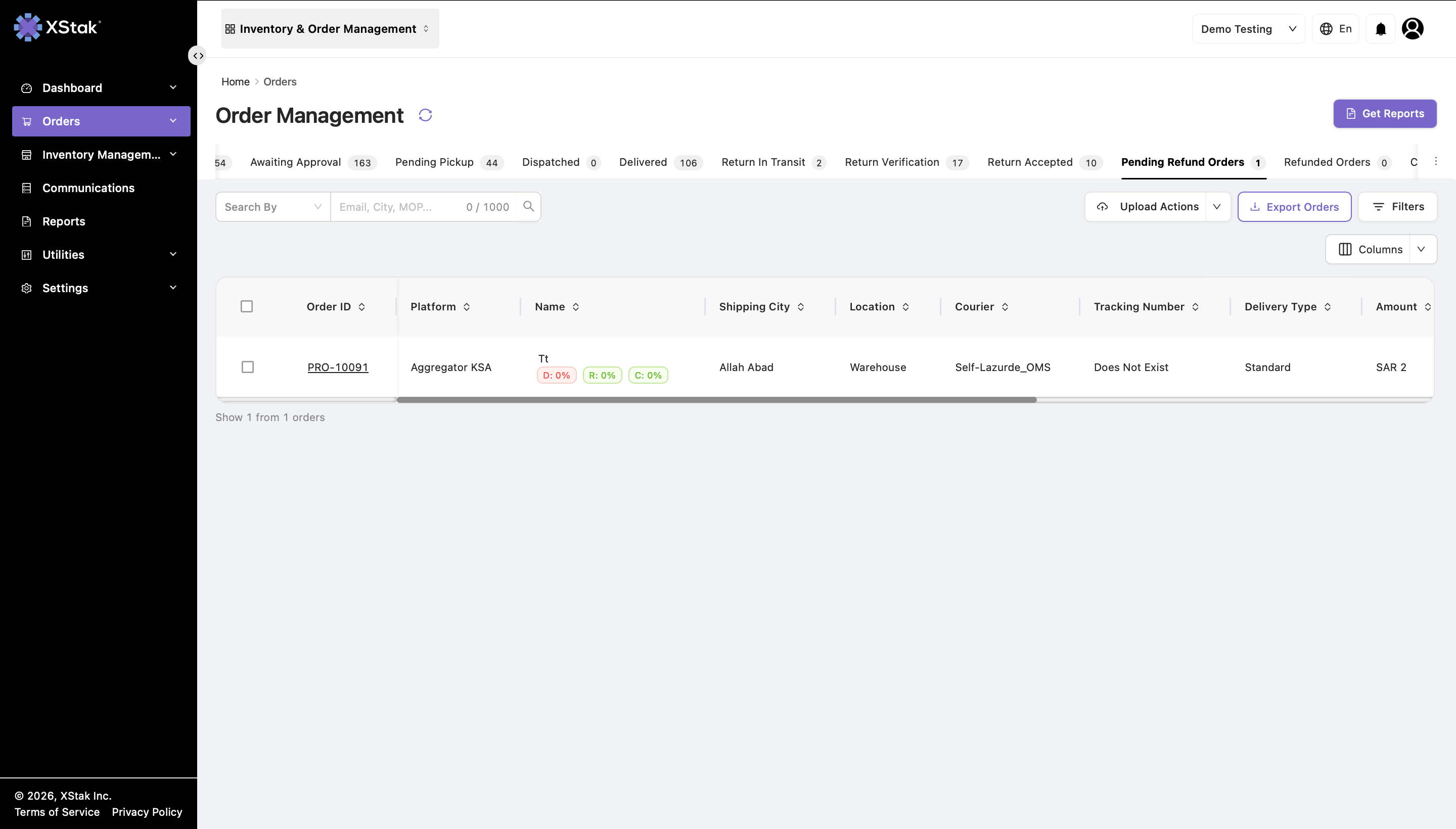
Understanding Pending Refund Orders
Orders appear in this tab when:
-
They are moved from the Return Verification tab.
-
Refund processing is required for the returned order.
These orders remain pending until a refund is successfully marked in the system.
Once refunded:
-
The order automatically moves to the Refund Orders tab.
This ensures refund operations are properly tracked and managed.
Key Functionalities
View Pending Refund Orders
Displays all orders awaiting refund processing.
Users can:
-
Search orders.
-
Filter refund-pending records.
-
Review order details and refund information.
Revert to Previous State
Users can revert an order back to the previous stage if required.
How to Revert an Order
-
Open the order details.
-
In the bottom-left section, click Revert to Previous State.
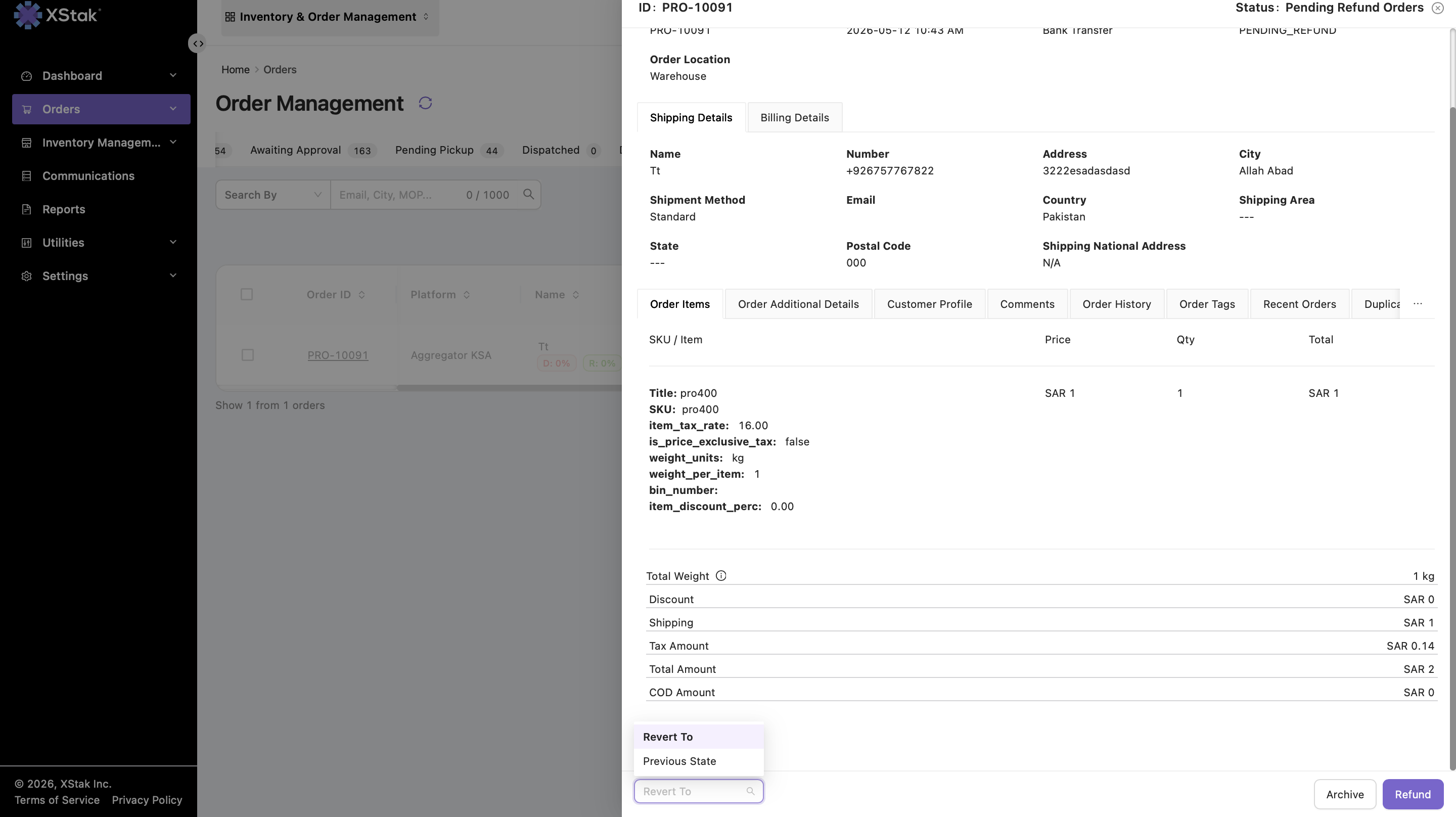
After reverting:
-
The order moves back to the Return Verification tab.
This is useful when:
-
The refund was initiated by mistake.
-
Additional verification is required.
-
Refund processing needs to be stopped temporarily.
Processing Refunds
Open Order for Refund
-
Click an order from the Pending Refund Orders listing page.
-
The order details open in a dialog window.
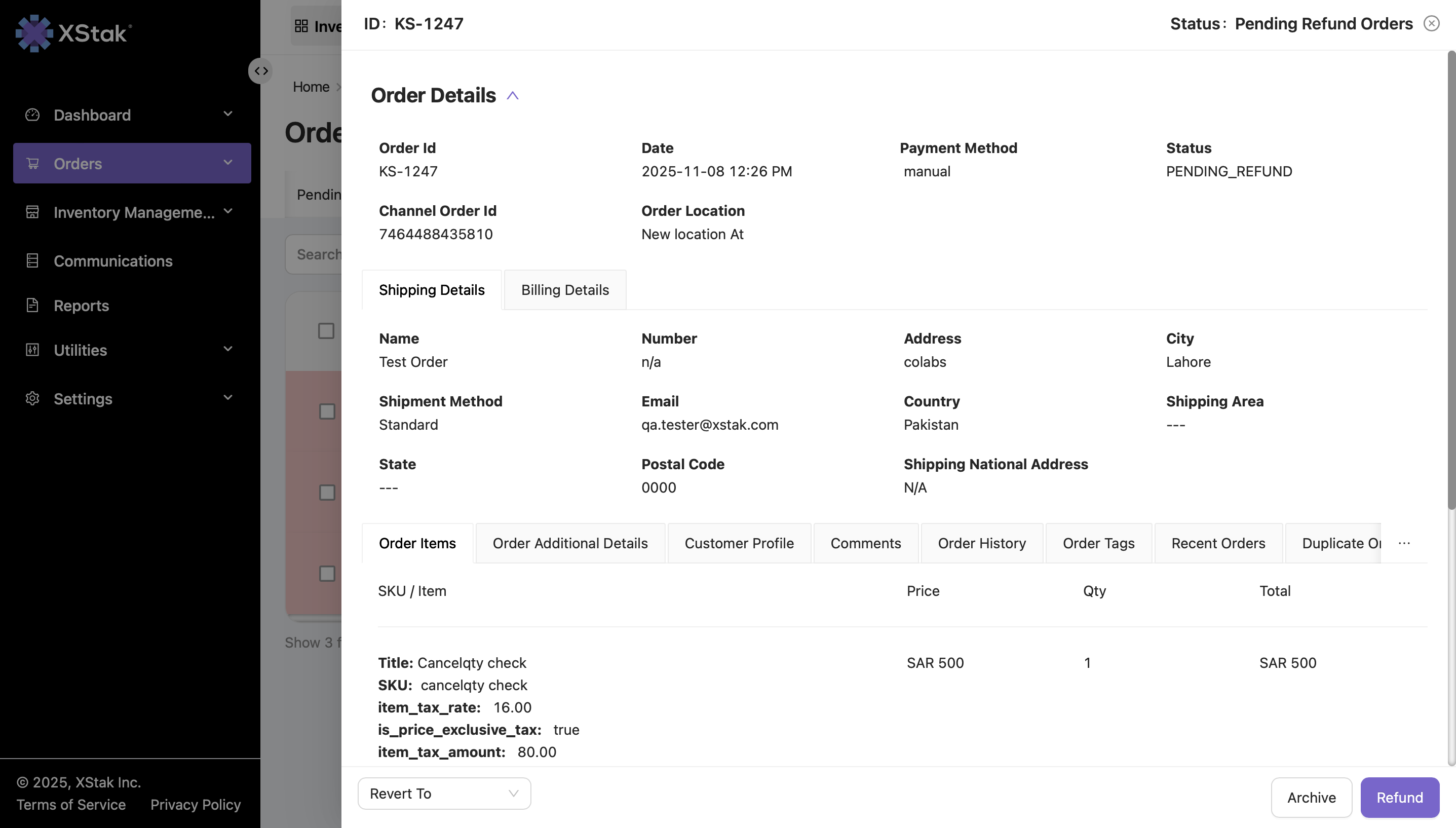
Mark Refund
Inside the order dialog:
-
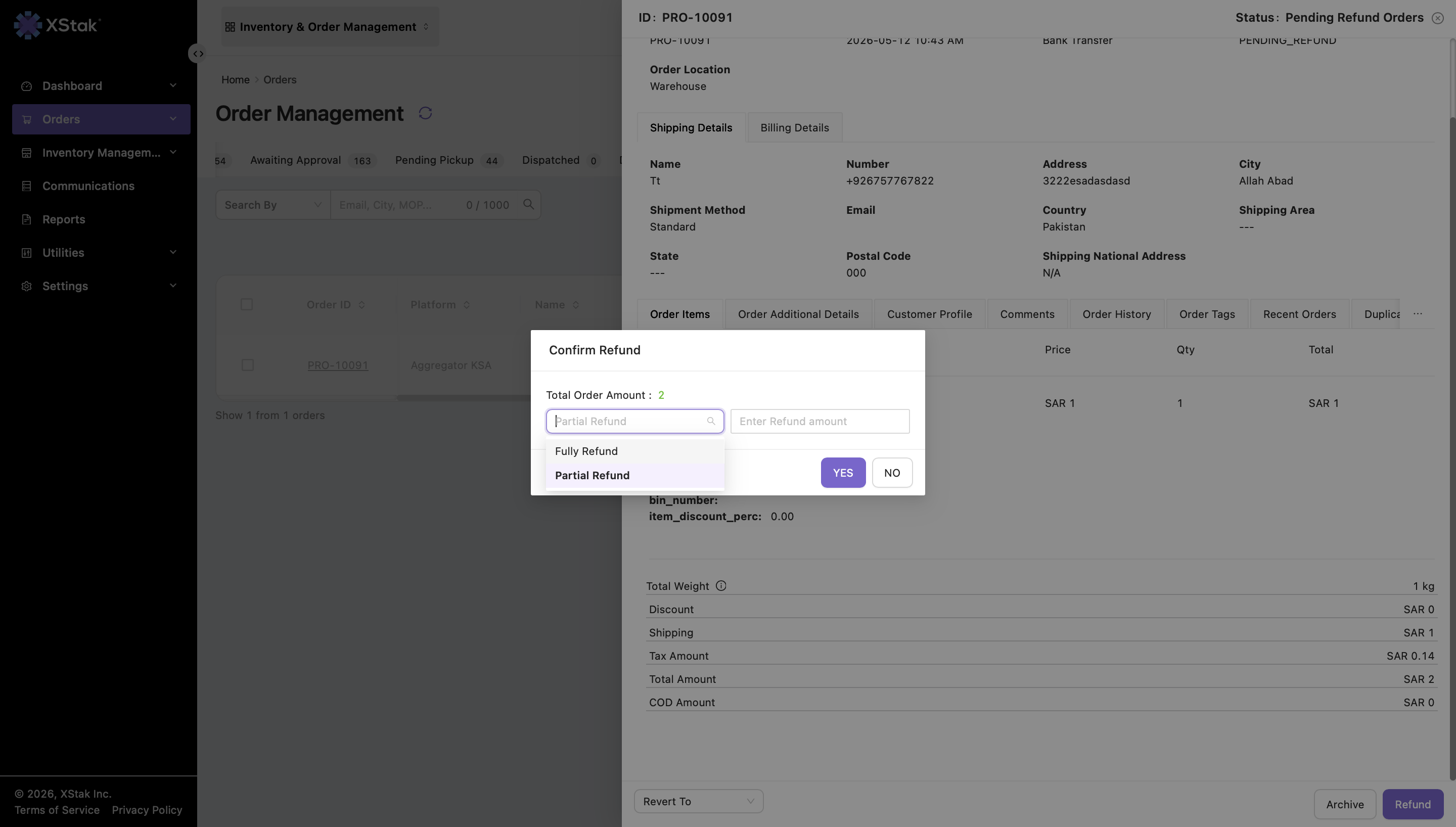
Click Mark Refund.
-
Select a refund type:
-
Full Refund
-
Partial Refund
-
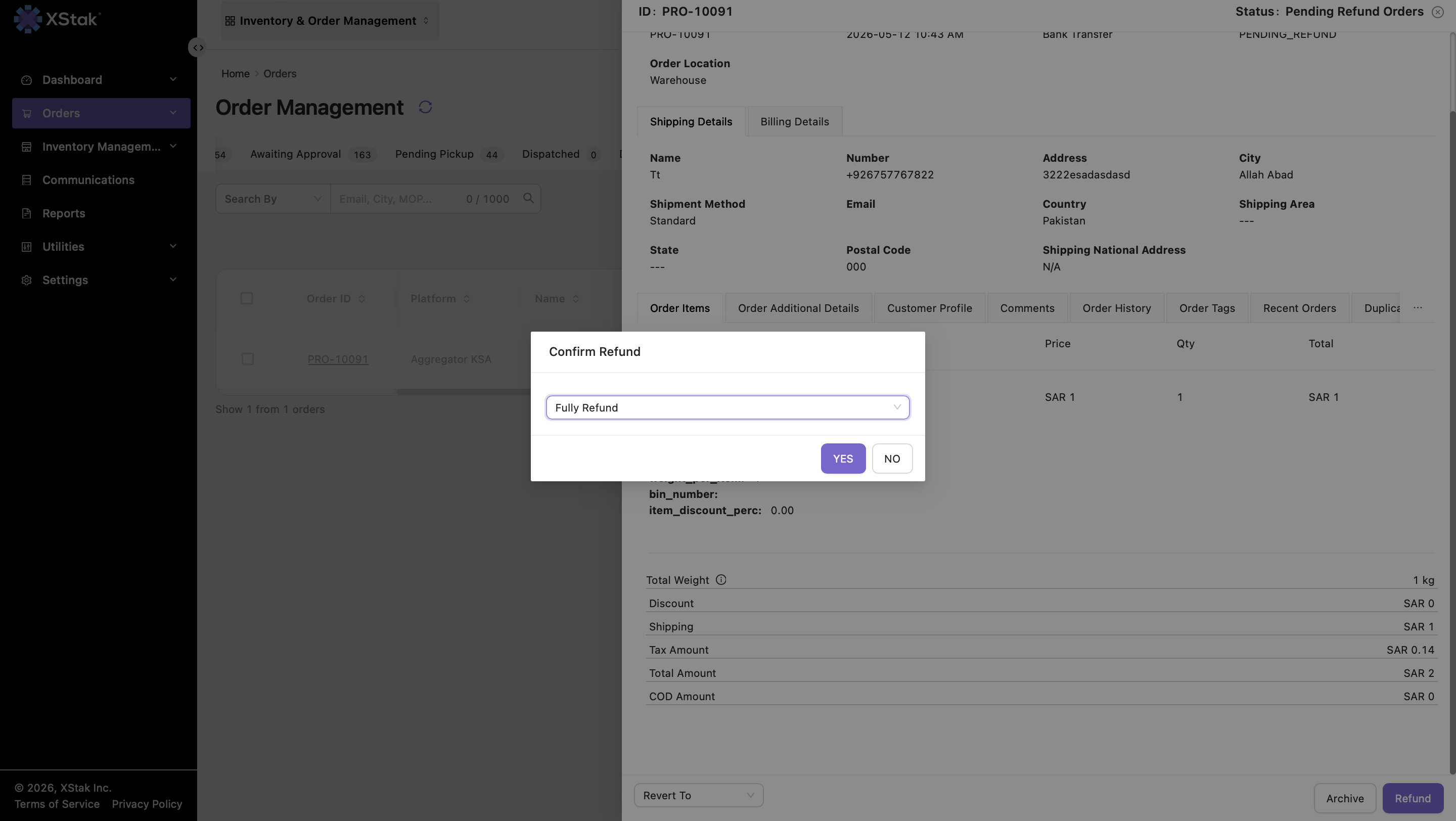
Full Refund
If Fully Refund is selected:
-
The total sale amount is automatically marked as refunded.
-
No manual amount entry is required.
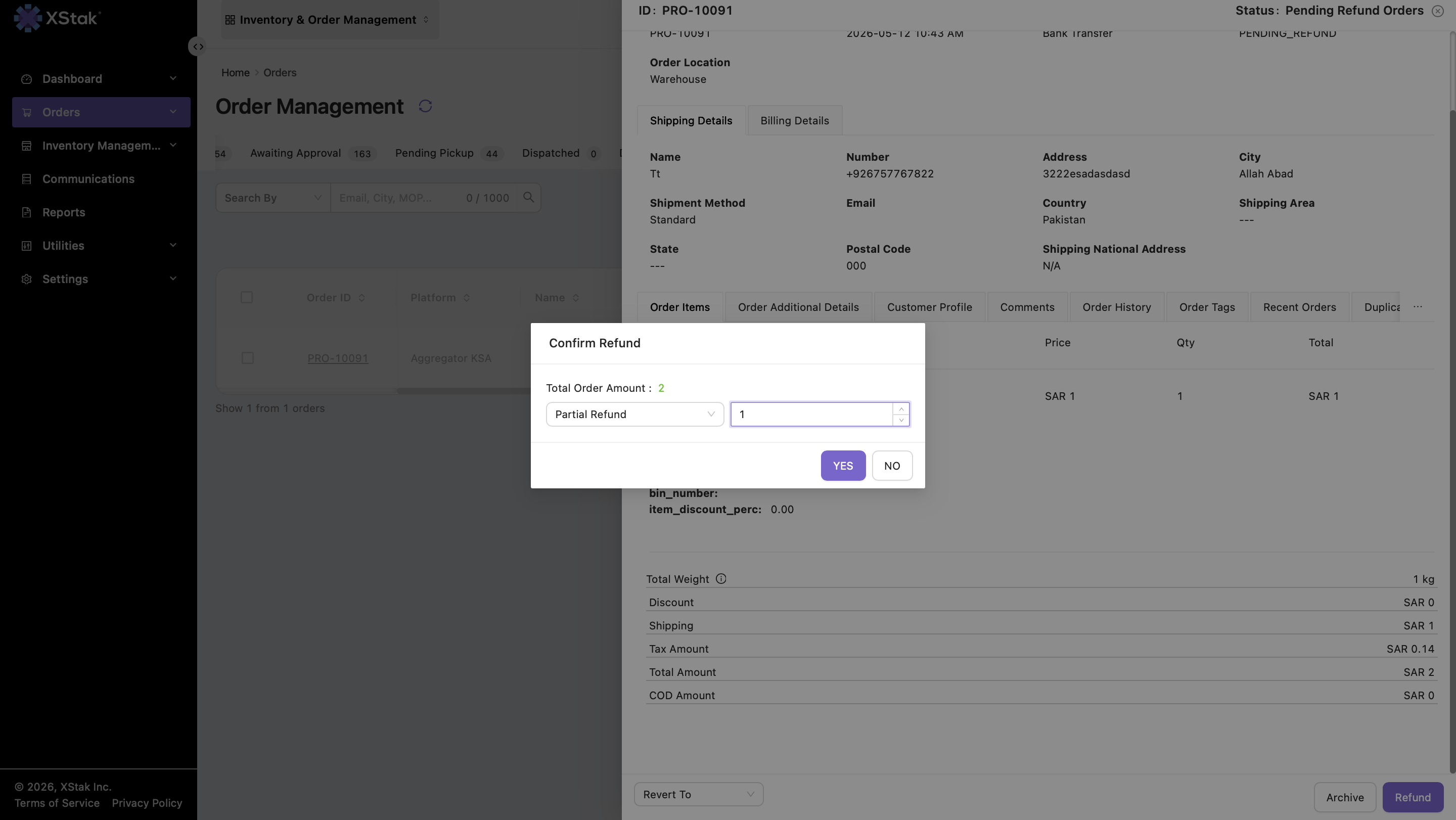
Partial Refund
If Partially Refund is selected:
-
Manually enter the refund amount.
Conditions:
-
The refund amount must be equal to or less than the total order amount.
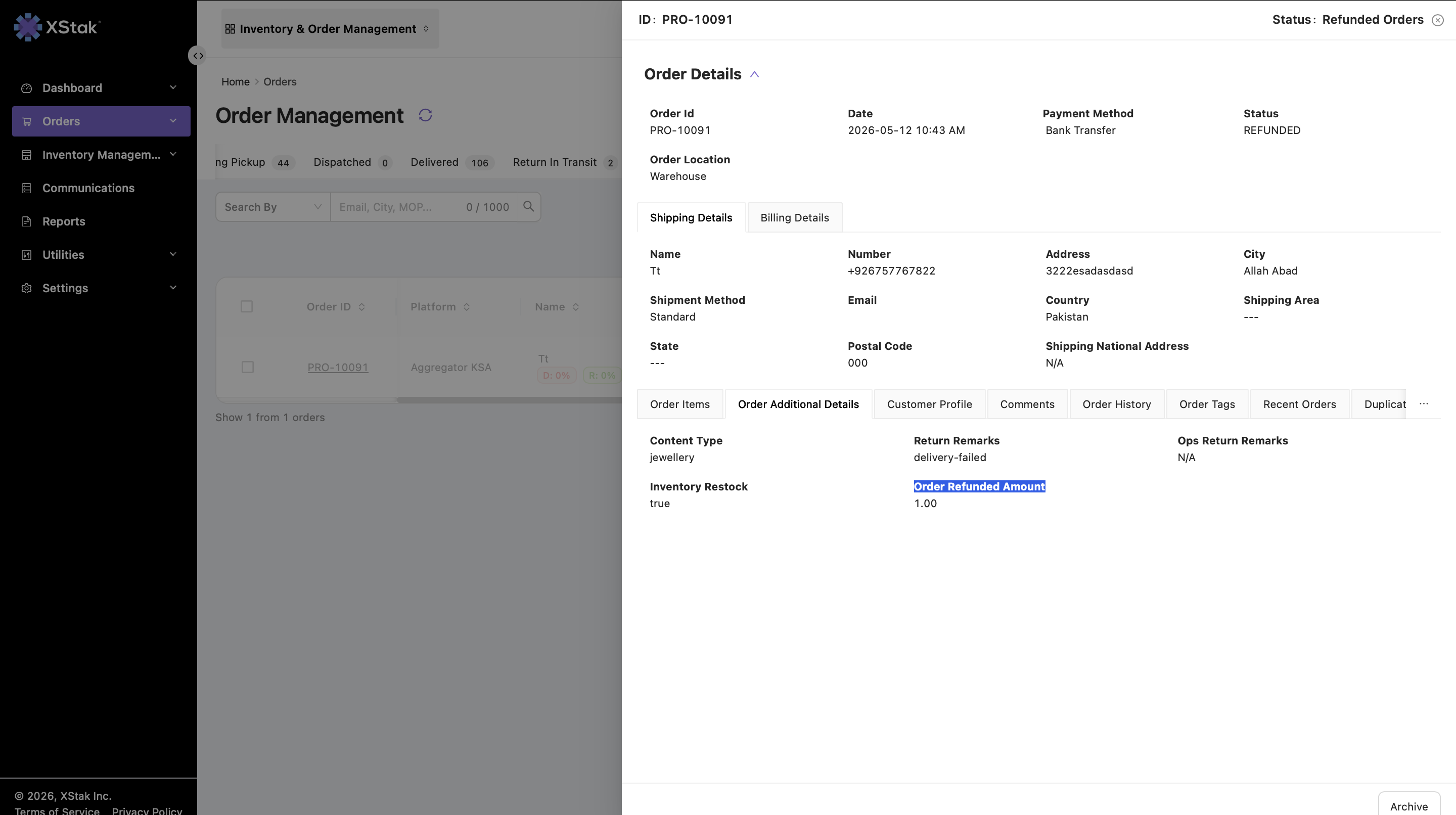
Refund Completion
Once refund is marked:
-
The system marks the order as refunded.
-
The order automatically moves to the Refund Orders tab.
This ensures:
-
Pending refunds are cleared
-
Refunded orders remain properly tracked
Additional Notes
|
Note |
Description |
|---|---|
|
Refund Source |
Only orders moved from Return Verification can appear here |
|
Refund Validation |
Refund amount must be ≤ order amount |
|
Full Refund |
Automatically refunds complete order amount |
|
Partial Refund |
Requires manual refund amount entry |
|
Revert Functionality |
Orders can be reverted back to Return Verification |
|
Tracking Visibility |
Tags and order details remain visible after refund |