
The Return Verification tab helps teams verify and process returned orders after the merchant physically receives them.
This module allows operations teams to:
-
Verify returned orders
-
Accept returns
-
Process refunds
-
Rebook delivery-failed orders
-
Close return orders
-
Manage inventory and sales adjustments
The Return Verification process ensures all returned orders are audited before final closure or refund processing.
Access Path
Navigate to:
Orders → Orders Management → Return Verification
Purpose of Return Verification
The Return Verification tab helps operations teams:
-
Validate physically received returns
-
Confirm product condition through QA checks
-
Manage refund workflow
-
Rebook customer orders if required
-
Update sales channel inventory accurately
-
Maintain return auditing and reporting
Key Functionalities
Return Accepted
Mark orders as Return Accepted after successfully verifying returned items.
Once marked:
-
The order moves into the Return Accepted tab
-
Inventory and operational status are updated accordingly
Pending Refund
Move orders to the Pending Refund tab when the return has been received but the refund still needs to be processed.
This indicates:
-
The returned order has been physically received
-
Refund has not yet been processed
This provides visibility to finance and operations teams for pending refund actions.
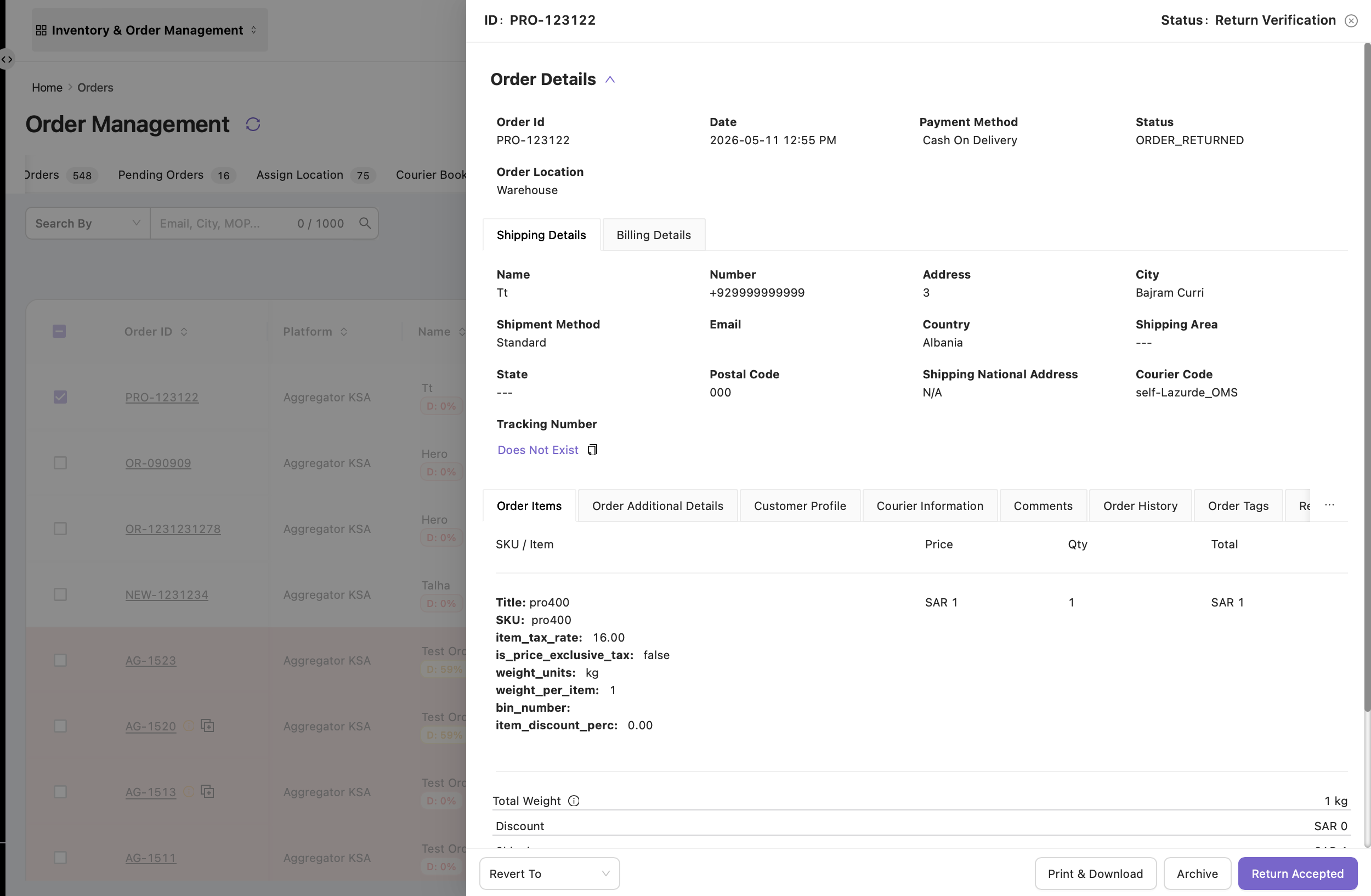
Revert to Pending Return
Open the order and revert it to Pending Return status if:
-
The returned shipment was not actually received
-
Incorrect return processing was performed
After reverting:
-
The order moves back into Return In Transit
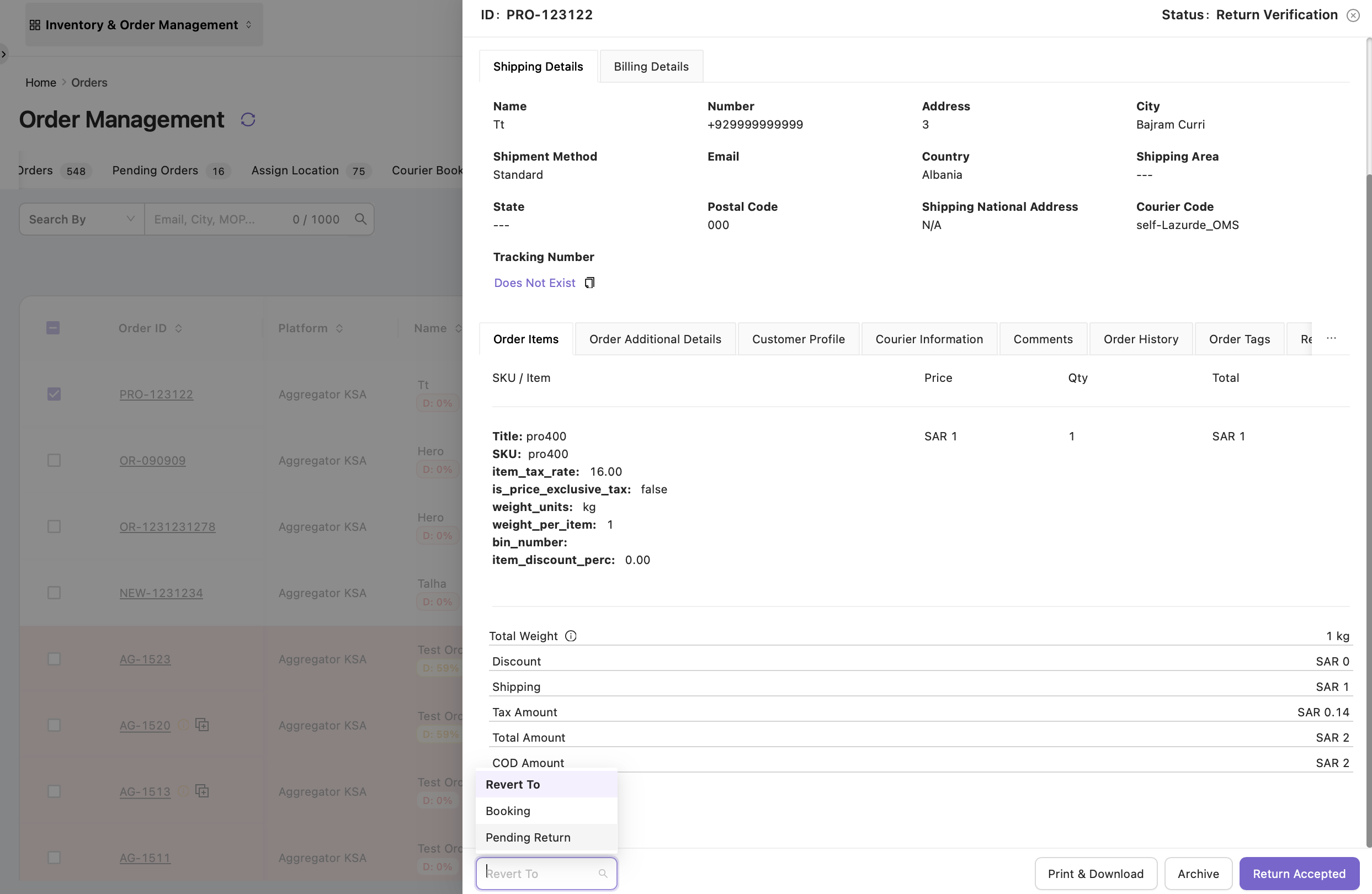
Rebook Order
Move the order to Booking status when it needs to be shipped again.
This is useful when:
-
The order delivery failed
-
The merchant received the parcel back
-
The customer requested re-delivery
The order will move back into:
Courier Booking
From there, the order can be booked again for shipment.
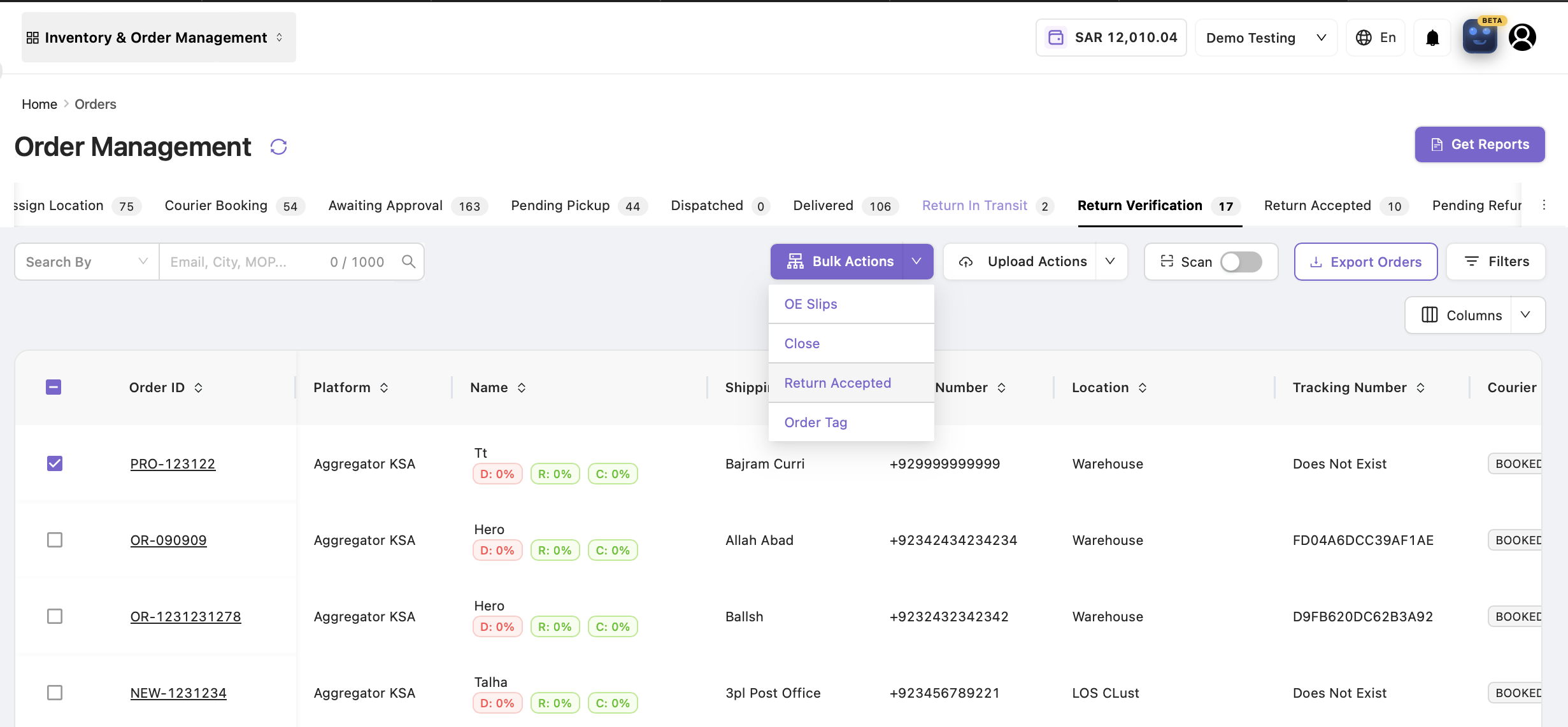
Bulk Actions
Bulk actions allow users to process multiple return orders simultaneously.
|
Bulk Action |
Purpose / Description |
|---|---|
|
Return Accepted |
Marks multiple orders as Return Accepted |
|
Close Orders |
Closes selected return orders |
|
Generate OE Slips |
Generates OE slips in bulk |
|
Add Tags |
Adds tags to multiple orders |
|
Pending Refund |
Moves multiple orders into Pending Refund |
Important Note — Sales Impact
If orders are marked as Closed in bulk:
-
The sales value is deducted from the sales channel.
If orders are not closed:
-
Sales channel values remain unchanged.
This ensures accurate sales and accounting reconciliation.
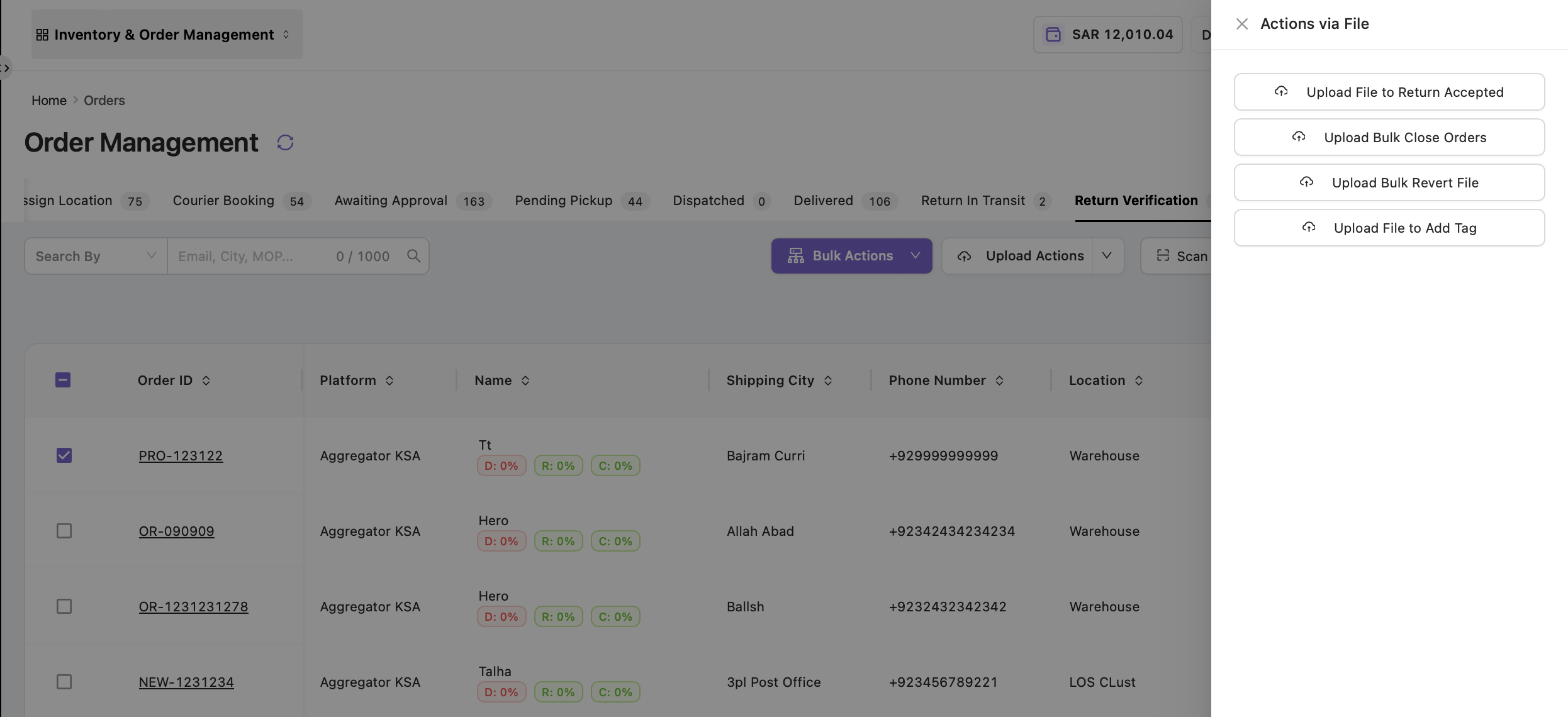
Upload Actions
Users can also perform all major operations through bulk file uploads.
To access:
Upload Actions → Select Required Upload Type
Available Upload Actions
|
Upload Action |
Description |
|---|---|
|
Upload Bulk Return Accepted File |
Marks orders as Return Accepted in bulk |
|
Upload Bulk Close Orders File |
Closes orders in bulk |
|
Upload OE Slip File |
Generates OE slips in bulk |
|
Upload Tags File |
Adds tags to orders in bulk |
Process Flow
-
Navigate to Orders → Orders Management → Return Verification
-
Apply filters to search required orders
-
Open order for detailed verification if required
-
Perform actions:
-
Return Accepted
-
Pending Refund
-
Revert to Pending Return
-
Rebook Order
-
-
Use Bulk Actions for multiple orders
-
Use Upload Actions for bulk file processing
-
Generate reports if required
Order Transition Flow
|
Action |
Status Movement |
|---|---|
|
Return Accepted |
Return Verification → Return Accepted |
|
Pending Refund |
Return Verification → Pending Refund |
|
Revert to Pending Return |
Return Verification → Return In Transit |
|
Rebook Order |
Return Verification → Courier Booking |
|
Close Order |
Final return closure with sales adjustment |
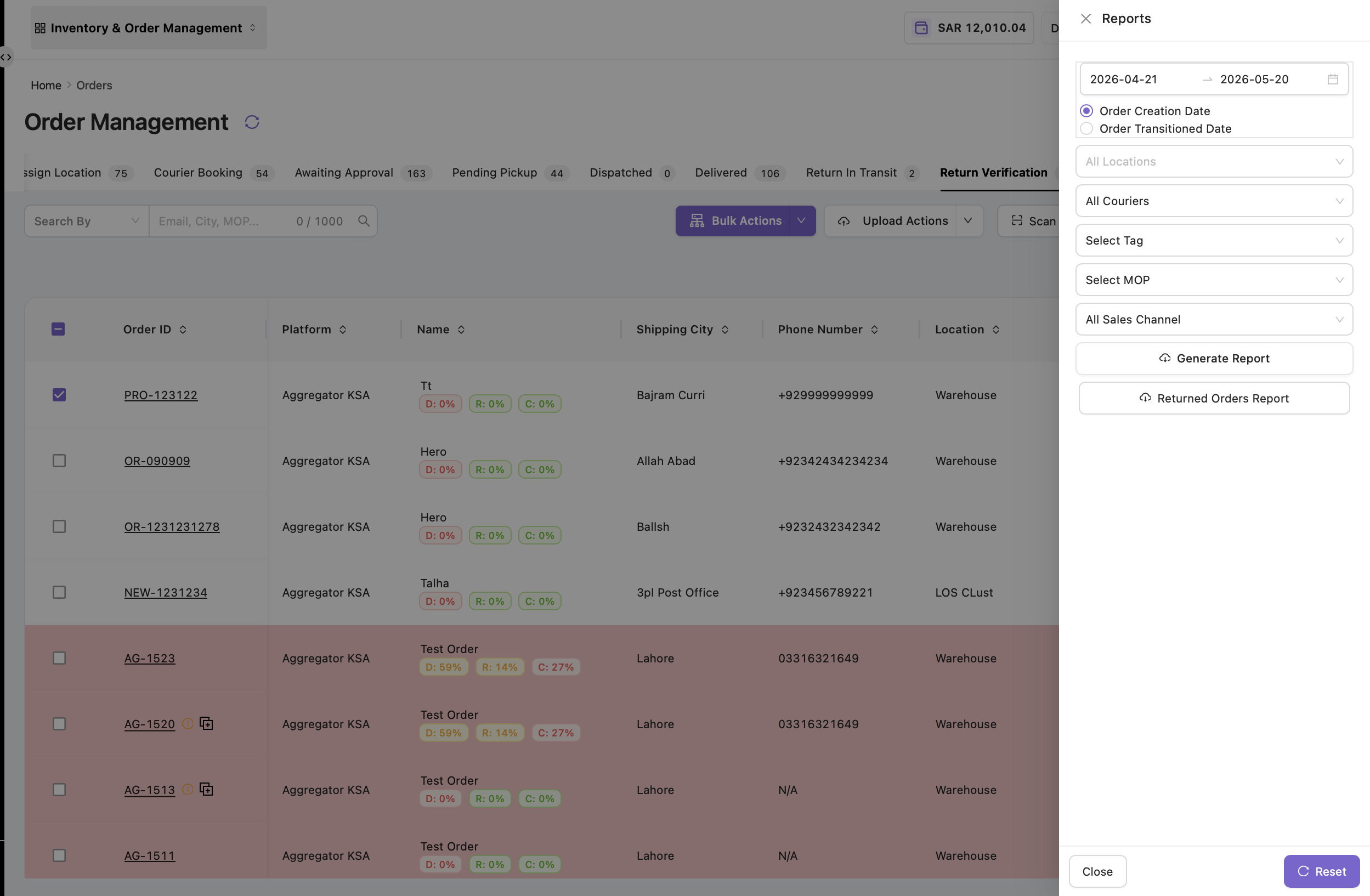
Reports & Auditing
The Return Verification tab also supports:
-
Returned Orders Report
-
Review Report
Reports can be generated using:
-
Date filters
-
Courier filters
-
Tags
-
Sales channels
Purpose of the Return Verification Tab
|
Purpose |
Explanation |
|---|---|
|
Verify Returns |
Confirms returned products are physically received |
|
QA Validation |
Ensures product condition verification |
|
Refund Management |
Tracks pending and completed refunds |
|
Rebooking Support |
Allows rebooking of delivery-failed orders |
|
Inventory Accuracy |
Maintains accurate inventory and sales data |
|
Reporting & Auditing |
Supports operational and financial reporting |