
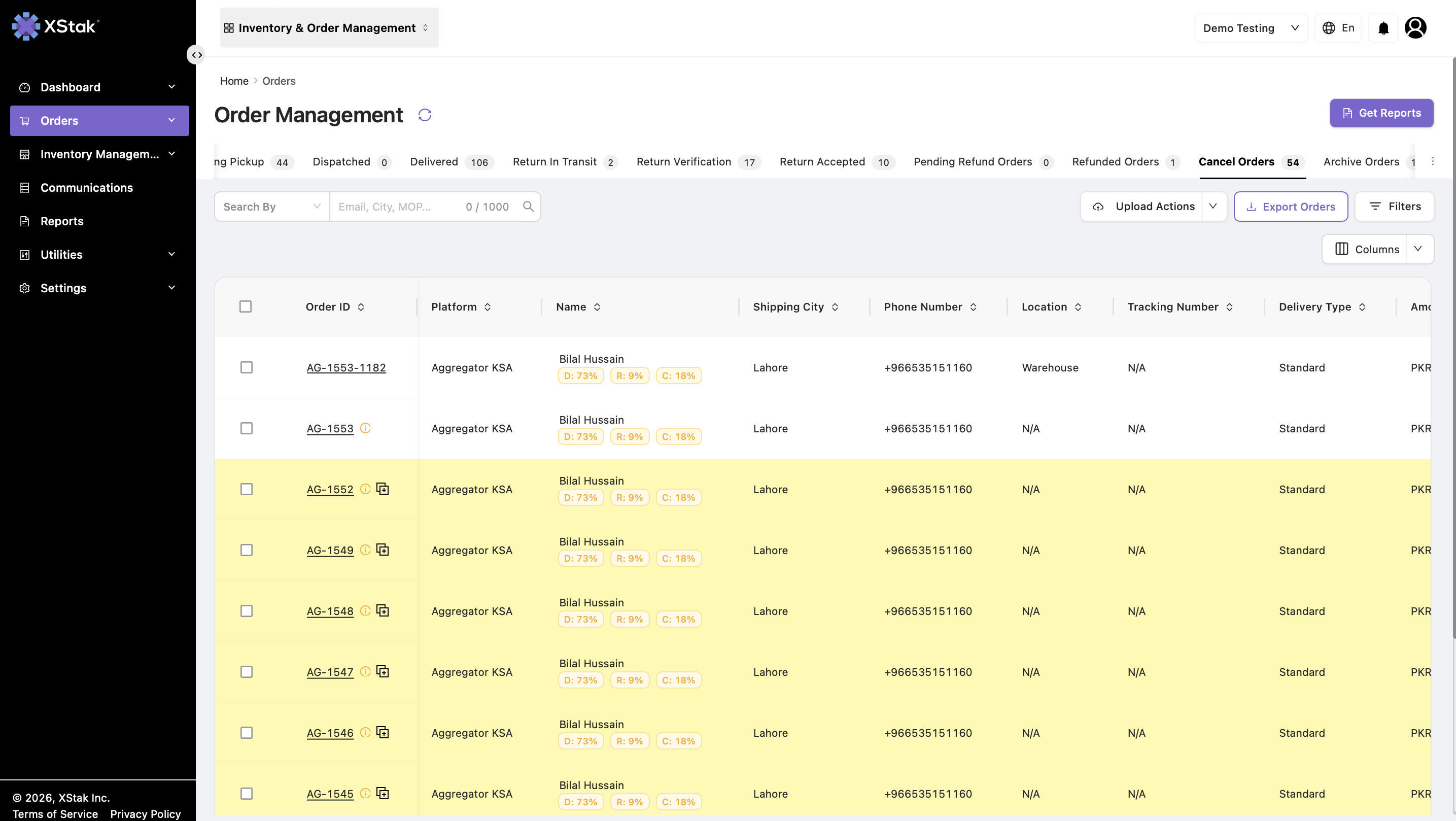
The Cancel Orders tab displays orders that were cancelled before dispatch due to operational or customer-related reasons, such as stock issues, verification failure, or customer cancellation.
This tab helps the operations team track and review cancelled orders, ensuring full visibility into order lifecycle exceptions.
1. Understanding Cancelled Orders
Cancelled orders are those that never moved to dispatch and were stopped at some point in the order lifecycle.
Orders may appear in the Cancel Orders tab due to:
-
Customer cancellation during the verification stage.
-
Verification failure.
-
Inventory shortage.
-
Pricing mismatch.
-
Shipper rejection or issues.
-
System or operational errors.
-
Manual cancellation by the operations team.
Once an order is cancelled, its status is updated to Dead and it is moved to the Cancel Orders tab.
2. When Orders Move to the Cancel Orders Tab
|
Scenario |
Explanation |
|---|---|
|
Customer cancellation during verification |
If the customer refuses to proceed during verification, the system moves the order to the Cancel Orders tab. |
|
Order cancellation by operations |
Manual cancellation by the team moves the order to the Cancel Orders tab. |
|
Shipper issues |
If the shipper rejects the order due to weight, size, or an invalid address before dispatch, the order is cancelled and moved here. |
3. Features Inside the Cancel Orders Tab
|
Feature |
Description |
|---|---|
|
View Cancelled Orders |
Displays all cancelled orders along with their cancellation reasons. |
|
Order Details View |
Opens full order details, including Order ID, SKU, quantity, cancellation reason, verification status, and customer information. |
|
Filter and Search |
Filter cancelled orders by date, reason, SKU, order ID, customer, or tags. |
|
Tags Support |
Orders retain their tags for easier tracking and filtering. |
4. Revert Order to Previous State
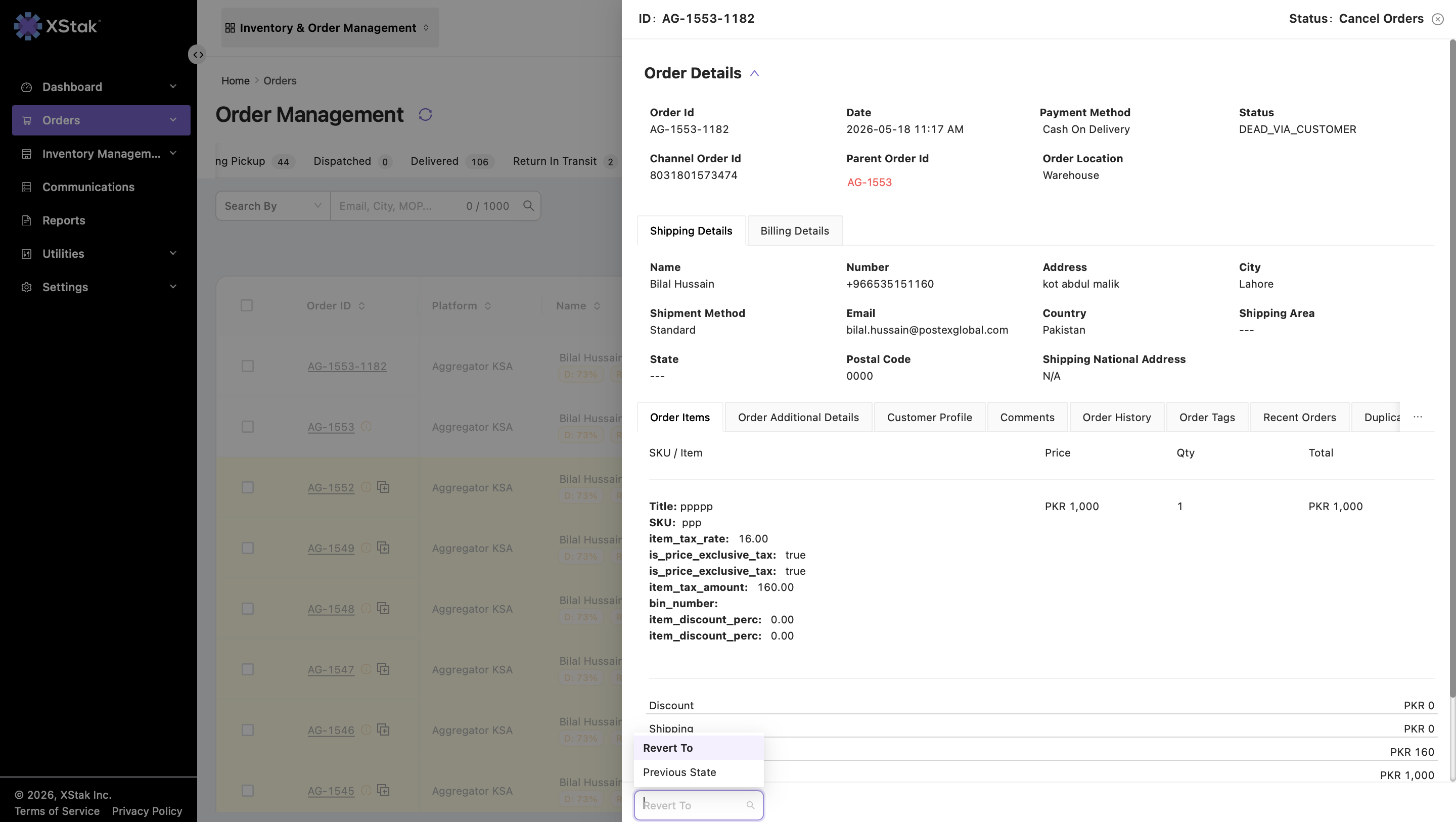
In the Order Details view, use the Revert Order option to move a cancelled order back to its previous state.
-
This option restores the order to its previous state before cancellation.
-
Once reverted, the order is removed from the Cancel Orders tab.
-
The order status is updated back to Processing, allowing it to continue through the normal fulfillment workflow.
-
This is useful when an order was cancelled due to an error, correction, or operational reversal decision.
Important Note:
Reverting an order does not create a new order. It simply restores the same order back into the active processing flow.