
Overview
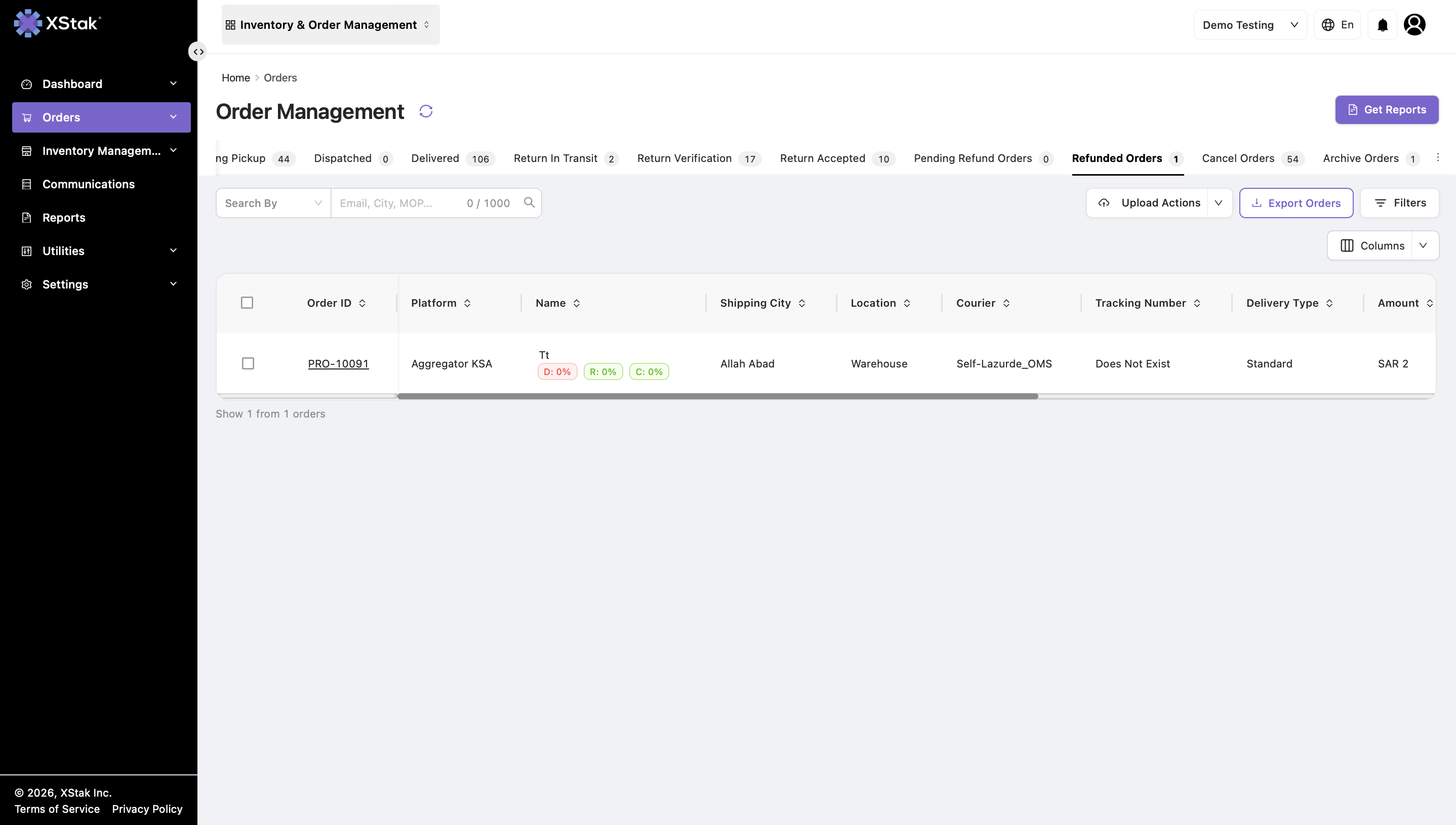
The Refunded Orders tab in OMS displays all orders that have been successfully refunded and provides a historical record for tracking completed refund transactions.
Once an order is moved here:
-
It is considered finalized.
-
No further refund processing is allowed.
-
Only tracking and archival actions are permitted.
Access Path
Navigate to:
Orders → Orders Management → Refunded Orders
Understanding Refunded Orders
Orders appear in this tab after being marked as Refunded in the Pending Refund Orders tab.
This tab:
-
Consolidates all refunded orders in one place.
-
Supports reporting and reconciliation.
-
Maintains refund history for audit purposes.
Key Functionalities
View Refunded Orders
Users can:
-
View all successfully refunded orders.
-
Track refund history.
-
Check order-level refund status.
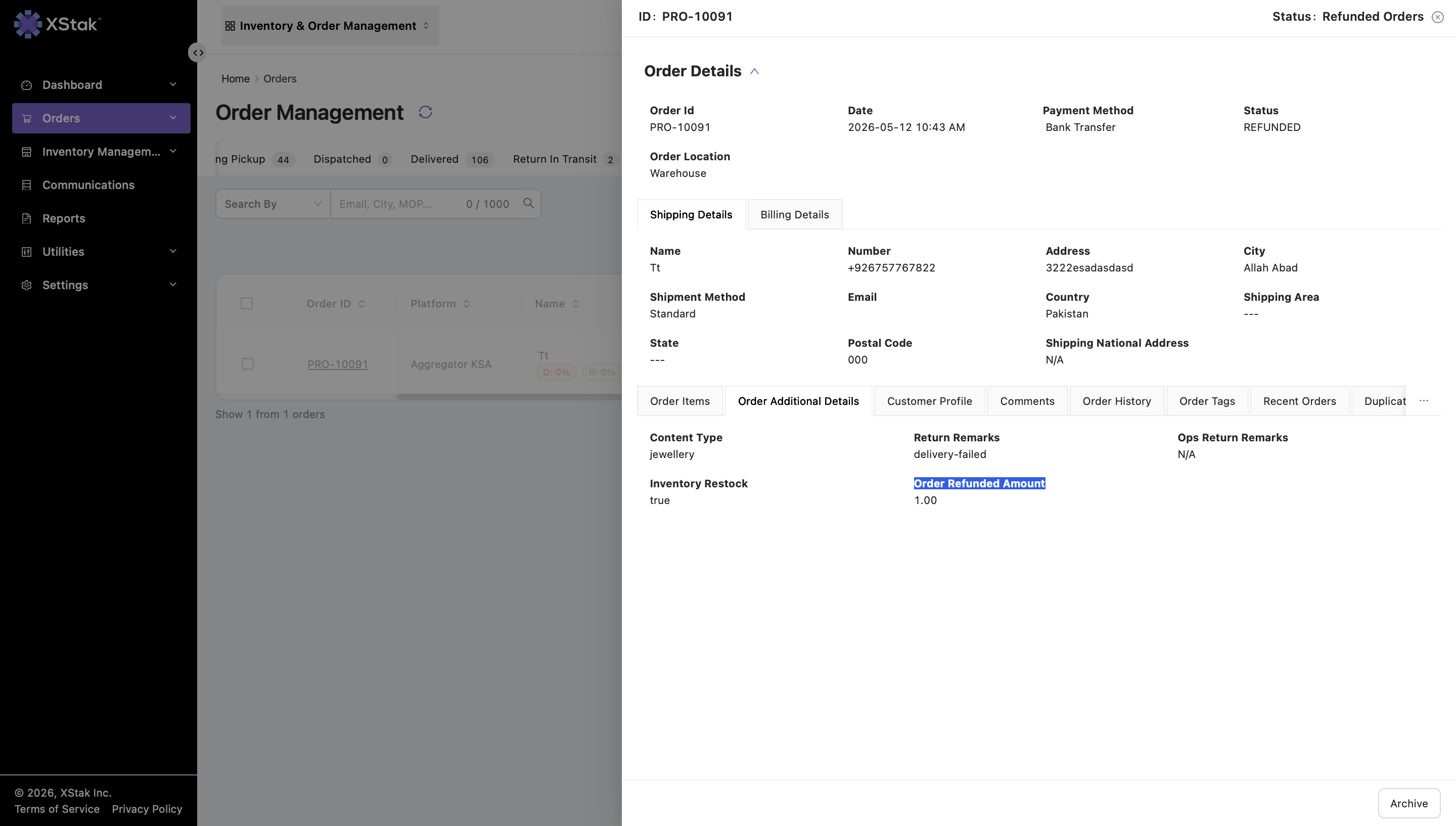
View Refunded Amount (Order Additional Details)
By opening an order and navigating to Order Additional Details, users can:
-
View the exact refunded amount for the order.
-
Identify whether the refund was full or partial.
-
Use the details for financial reconciliation and auditing.
Archive Orders
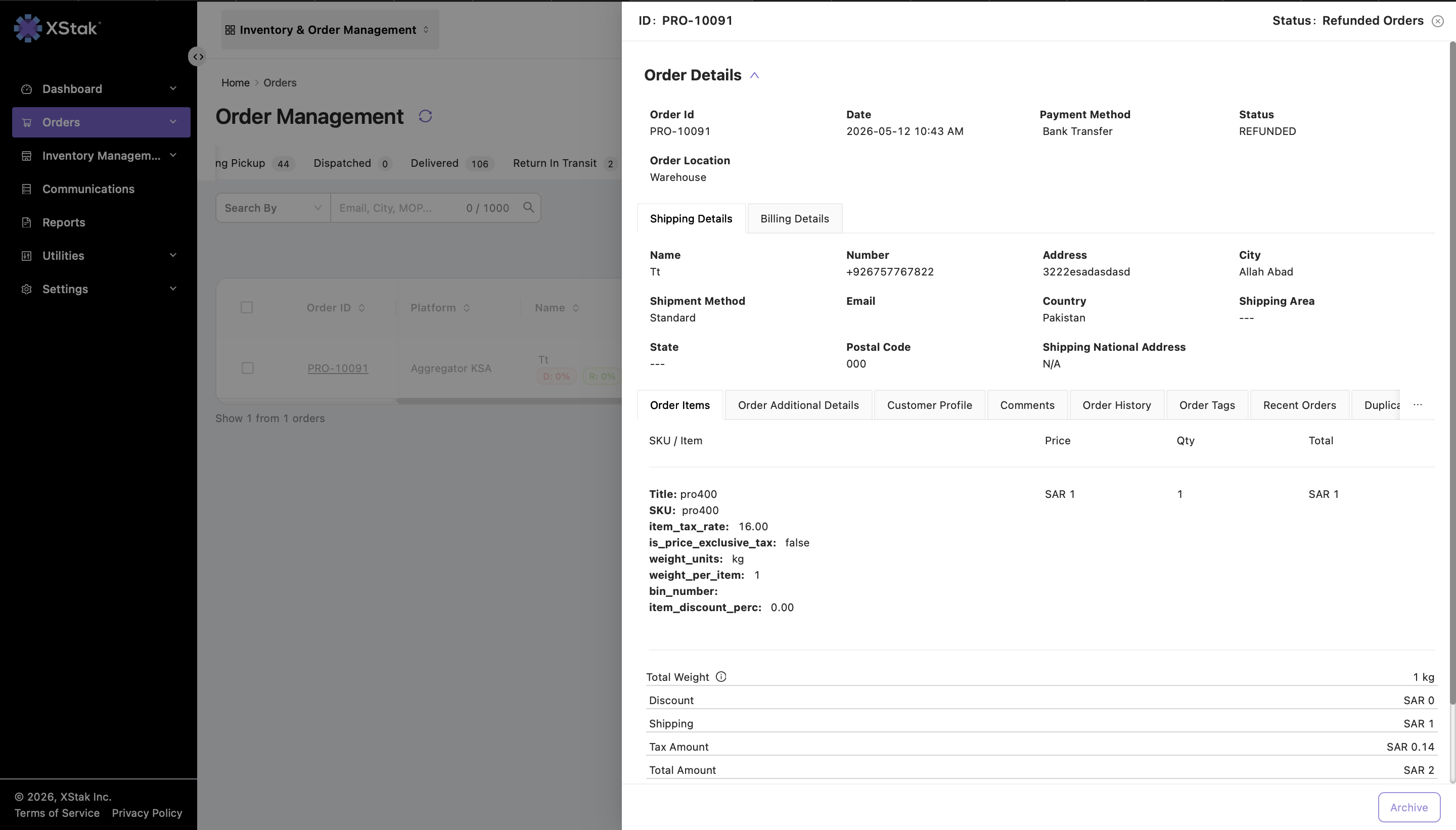
Users can archive refunded orders for cleanup and record management.
How to Archive an Order
-
Open the order from the Refunded Orders tab.
-
On the Order Details page, locate the Archive button at the bottom-right corner.
-
Click Archive.
After archiving:
-
The order moves to the Archived Orders tab.
-
It is removed from active refunded listings.
Important Notes
|
Point |
Description |
|---|---|
|
Final Status |
Orders here are already refunded and finalized. |
|
No Reversal |
No refund or revert actions are allowed. |
|
Archive Only |
Only archival action is available. |
|
Refund Tracking |
The refunded amount is visible in Order Additional Details. |
|
Audit Purpose |
Used for financial and operational reporting. |
Purpose of the Refunded Orders Tab
|
Purpose |
Explanation |
|---|---|
|
Refund History |
Maintains a record of all completed refunds. |
|
Financial Tracking |
Helps accounting teams reconcile refunds. |
|
Operational Clarity |
Separates refunded orders from active workflows. |
|
Audit Support |
Provides transparency for reporting and audits. |
|
Order Lifecycle Completion |
Marks the final stage of the refund lifecycle. |