
All initiated return requests appear in the Return Requested tab, where the operations team can review, approve, or decline each request.
-
Accept the return request.
-
Decline the return request.
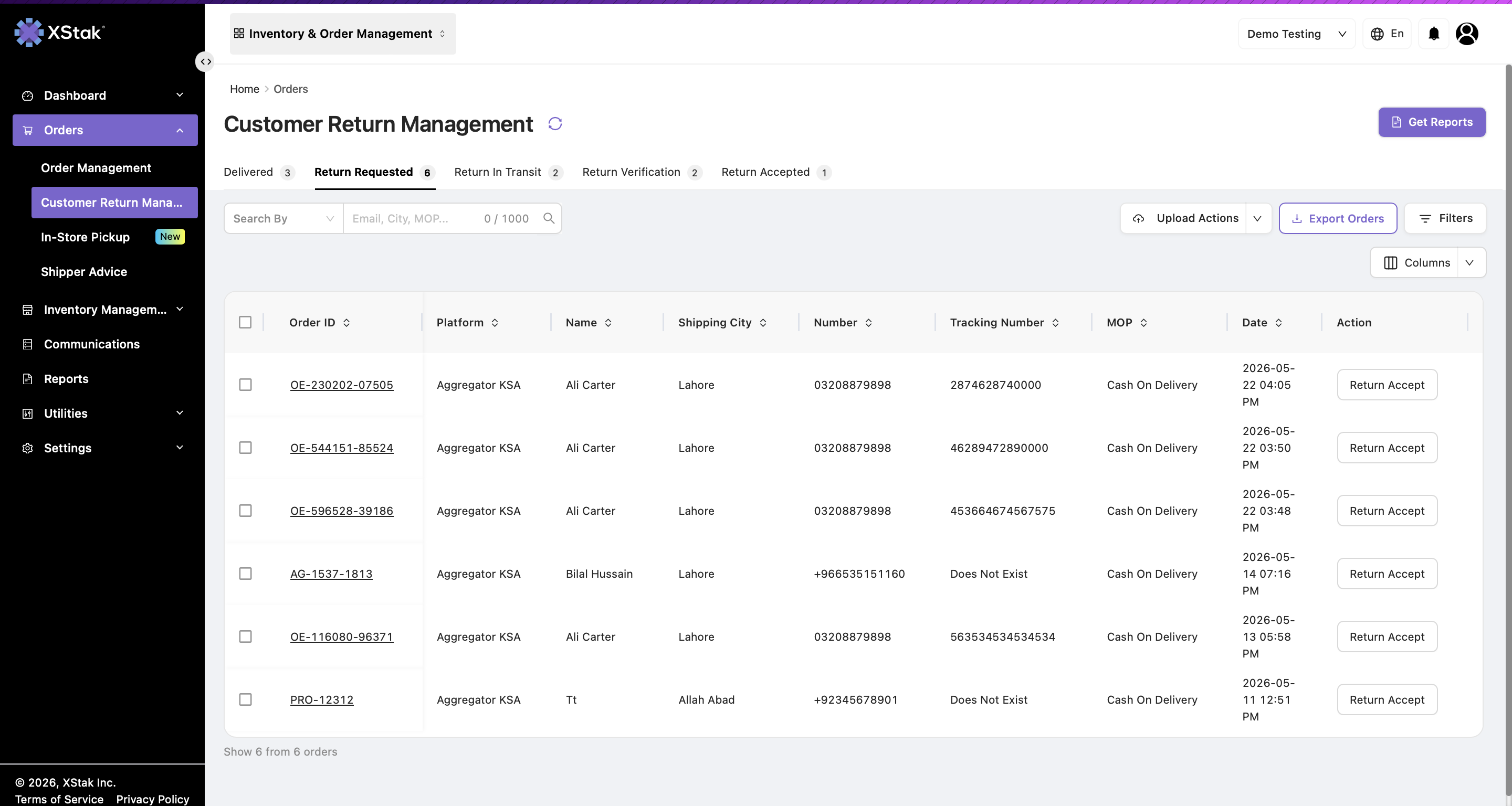
Option A — Accept a Single Return
-
Locate the order in the Return Requested tab.
-
Click Return Accept.
After acceptance, the order moves to the Return in Transit tab.
Option B — Decline a Return
-
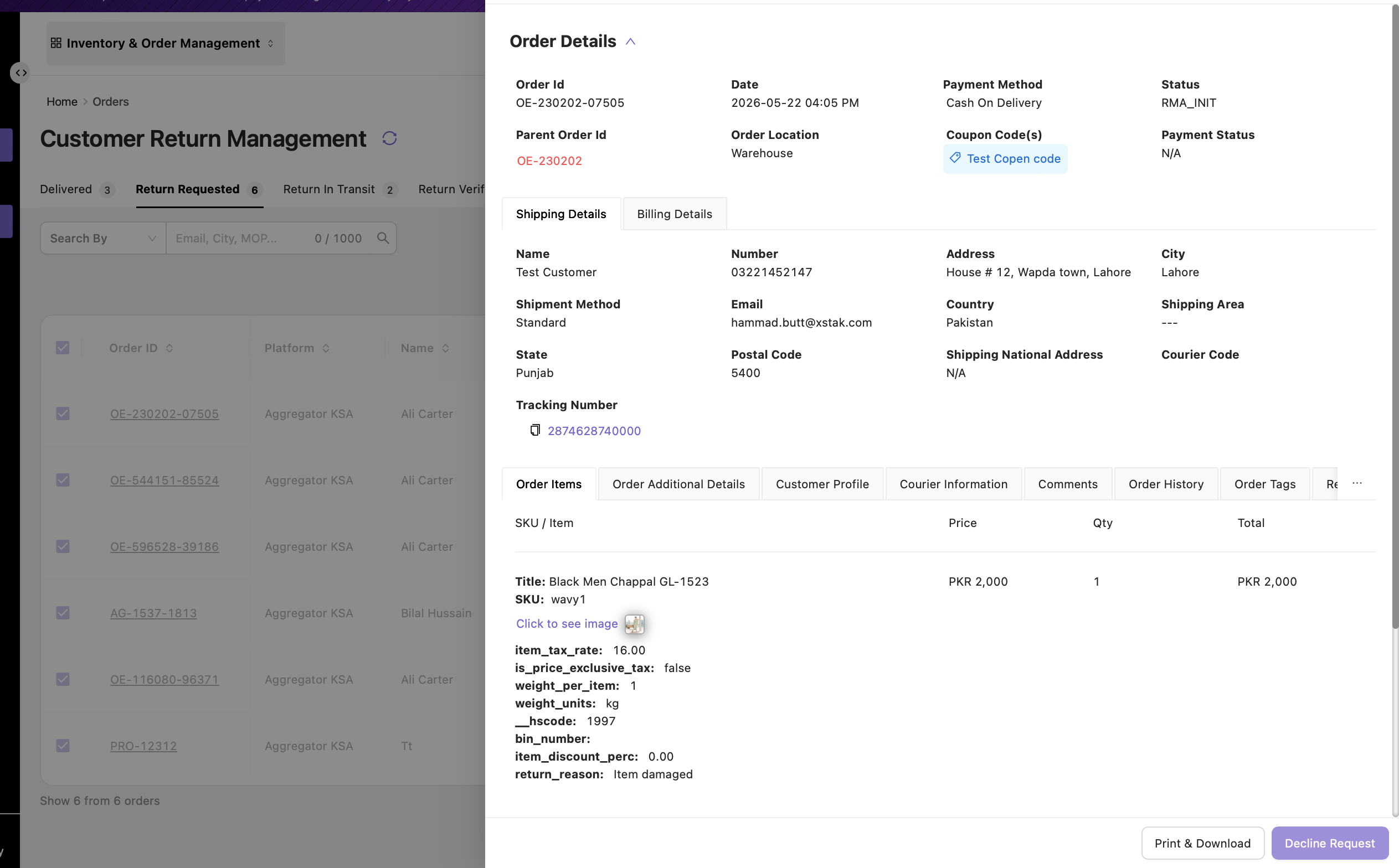
Click the Order ID to open the Order Details dialog.
-
In the top-right corner of the order details page, click Decline Request.
-
Enter the decline reason, then confirm the action.
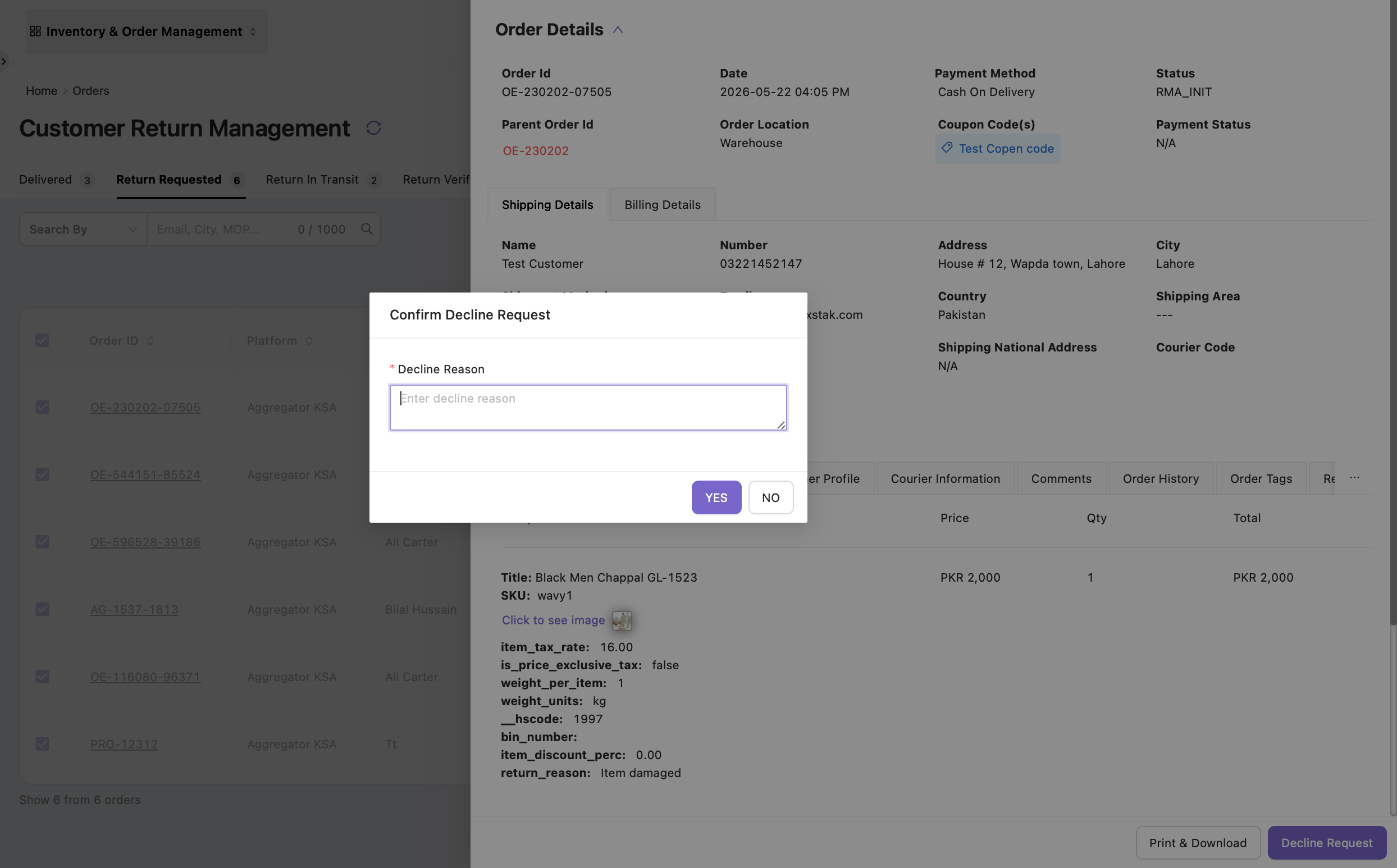
Once declined:
-
The return request is closed.
-
The order moves back to the Delivered Orders tab.
-
The order is removed from the return workflow.
Important: The Decline Request action is irreversible. Review and verify all return details before declining the return request. Once declined, the return cannot be processed further through the return management workflow.