
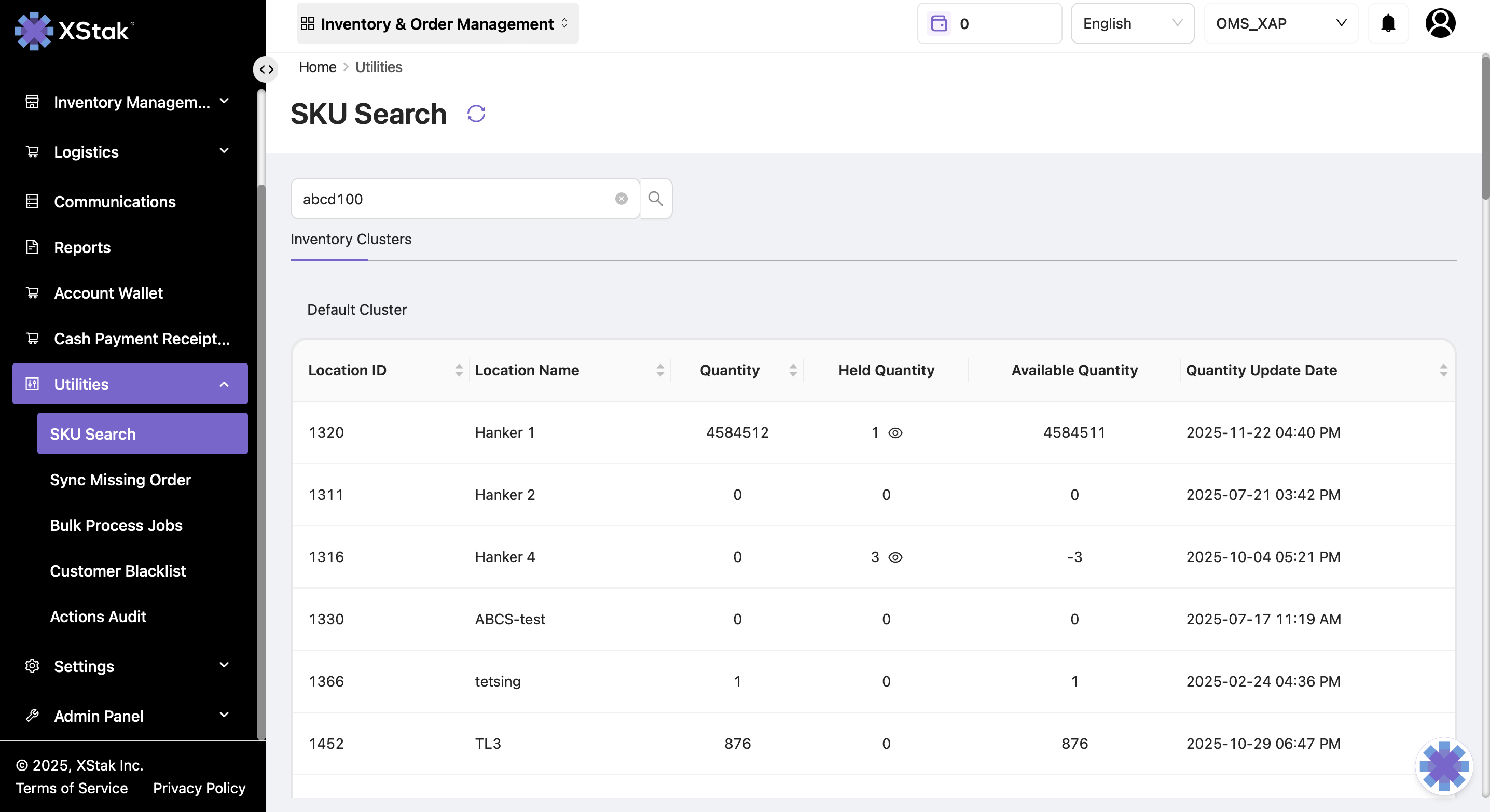
The SKU Search utility helps you quickly retrieve detailed information about any SKU. Information is organized into multiple sections, including inventory, pricing, and historical changes.
Steps to Access SKU Search
-
Click on the Utilities module from the sidebar.
-
Select SKU Search from the dropdown.
-
Enter the desired SKU in the search bar.
-
The detailed information about the SKU will be displayed, divided into the following sections:
-
Inventory Cluster
-
Price Details
-
Location Inventory Change
-
Master Inventory Change
-
SKU Details
-
Inventory Cluster
Provides a comprehensive overview of inventory status across different locations.
Displayed information:
-
Location ID & Name – Identification of each location
-
Quantity – Total stock at the location
-
Held Quantity – Inventory reserved and not available for sale
-
Available Qty – Stock available for sale
-
Quantity Updated Date – Last date the quantity was updated
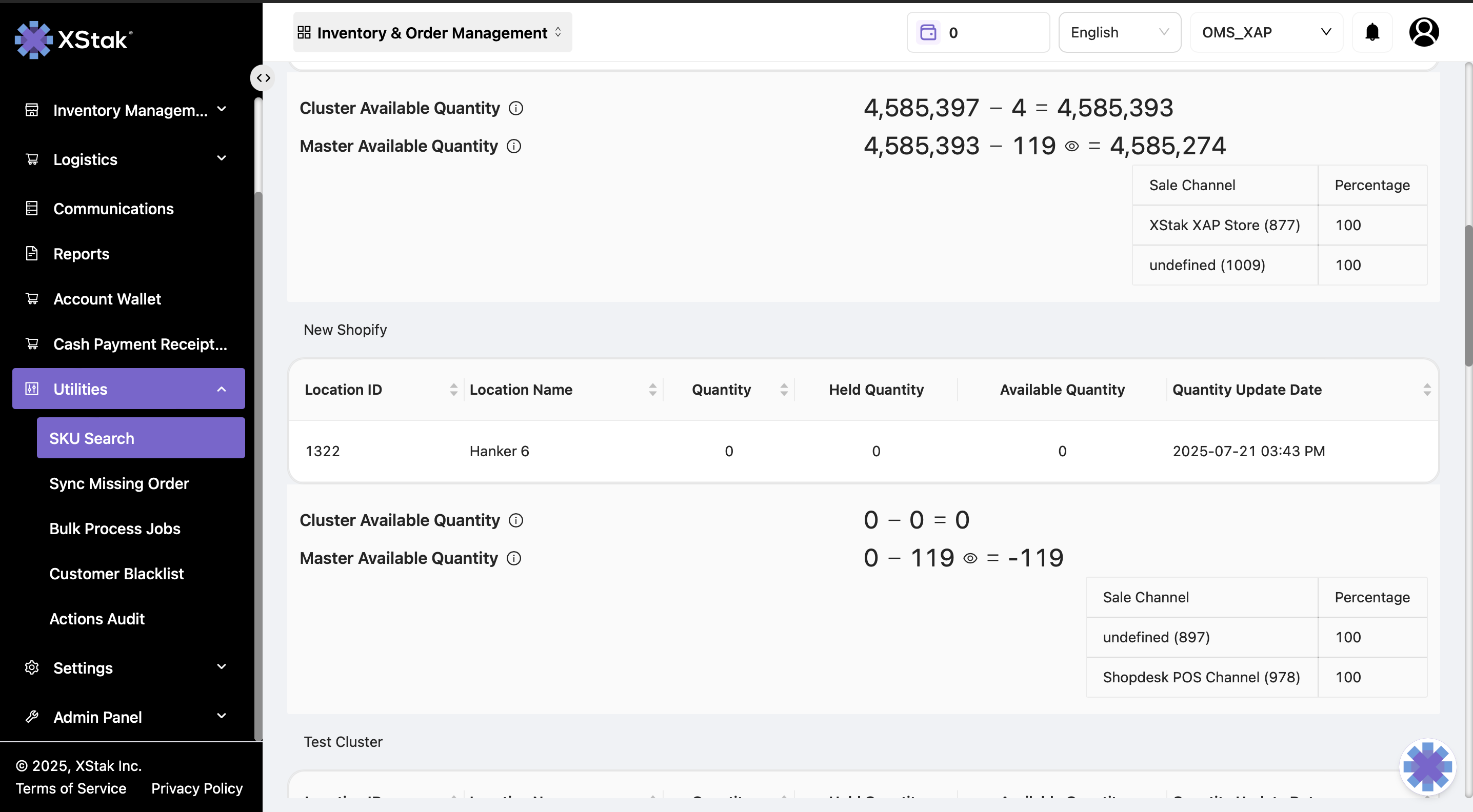
Cluster available quantity:
-
Represents the total available quantity across all locations.
Price Details
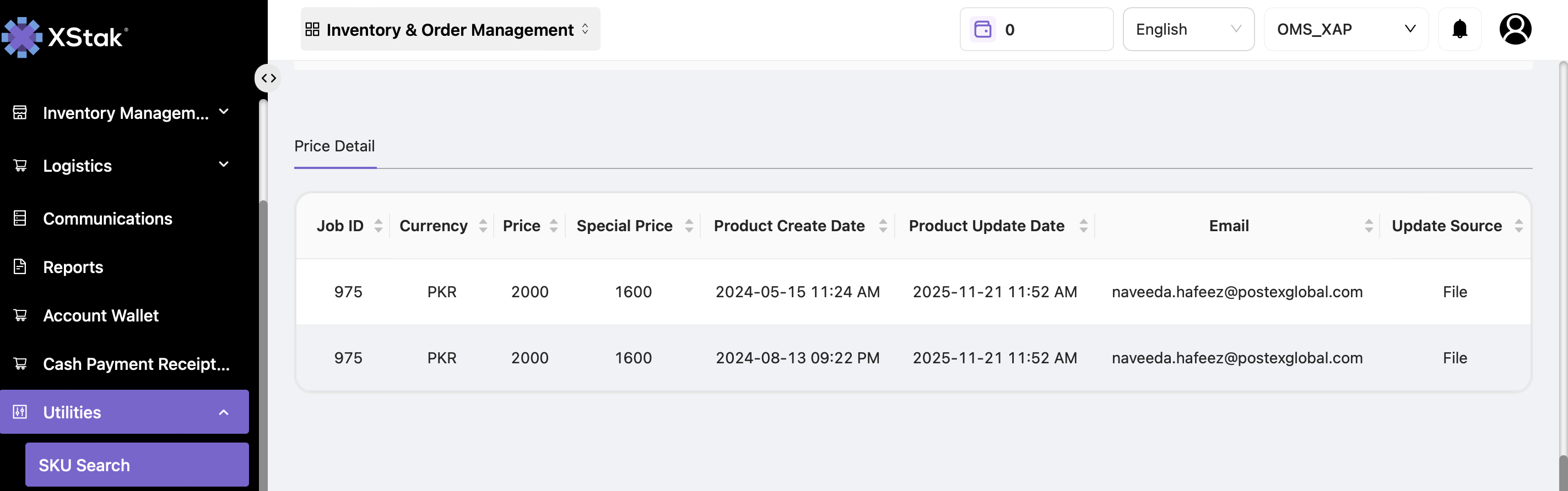
Shows all past price update jobs for the selected SKU.
Displayed Information:
-
Job ID
-
Currency
-
Price & Special Price
-
Product Creation & Update Date
-
Email of the user who performed the update
Location Inventory Change
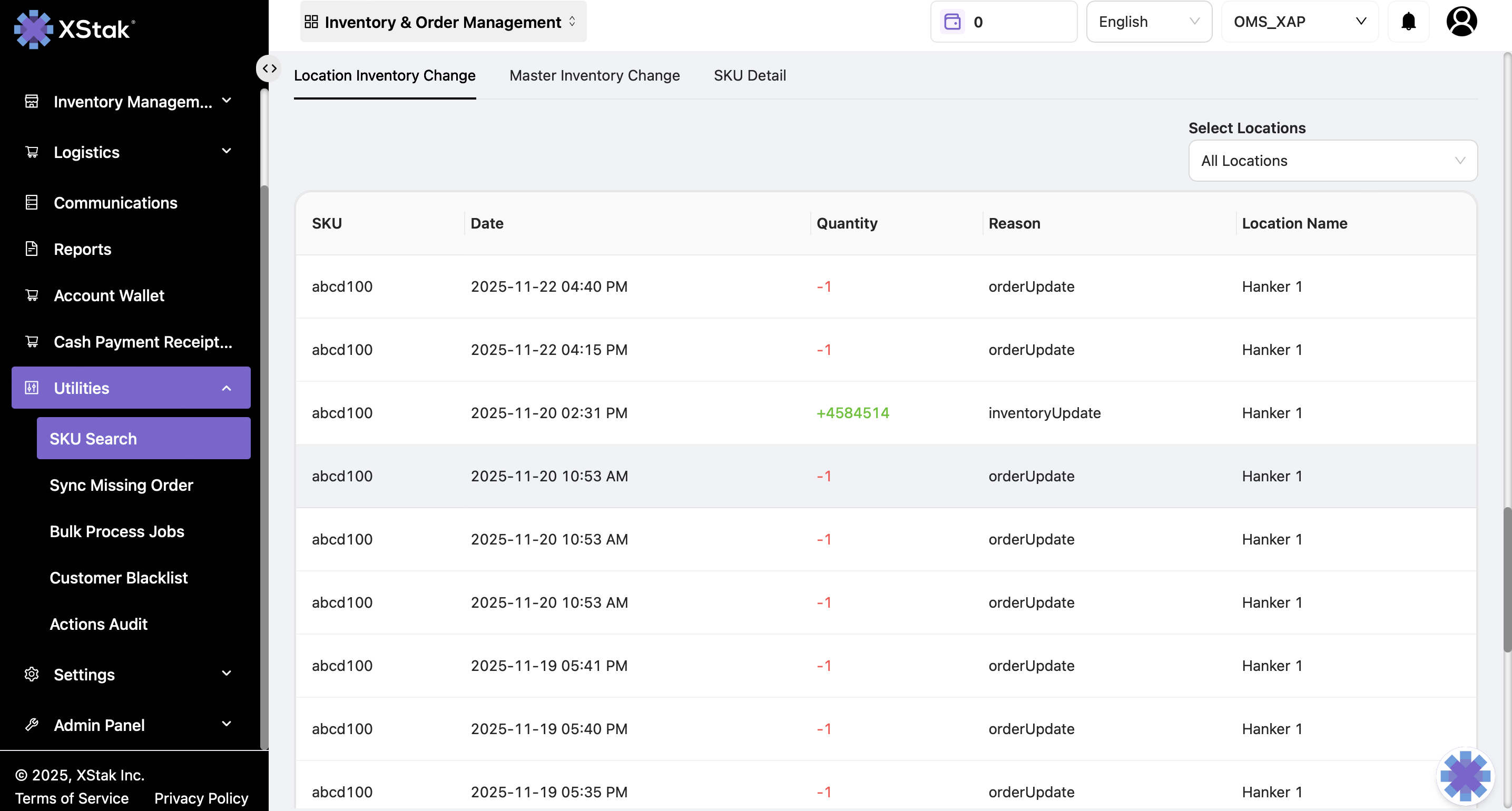
Provides historical details of inventory updates for a specific SKU.
Displayed Information:
-
SKU
-
Date of update
-
Quantity updated (added or removed)
-
Reason for the update
-
Location Name
Tip:
-
To view quantity for a specific location, select the desired location from the options.
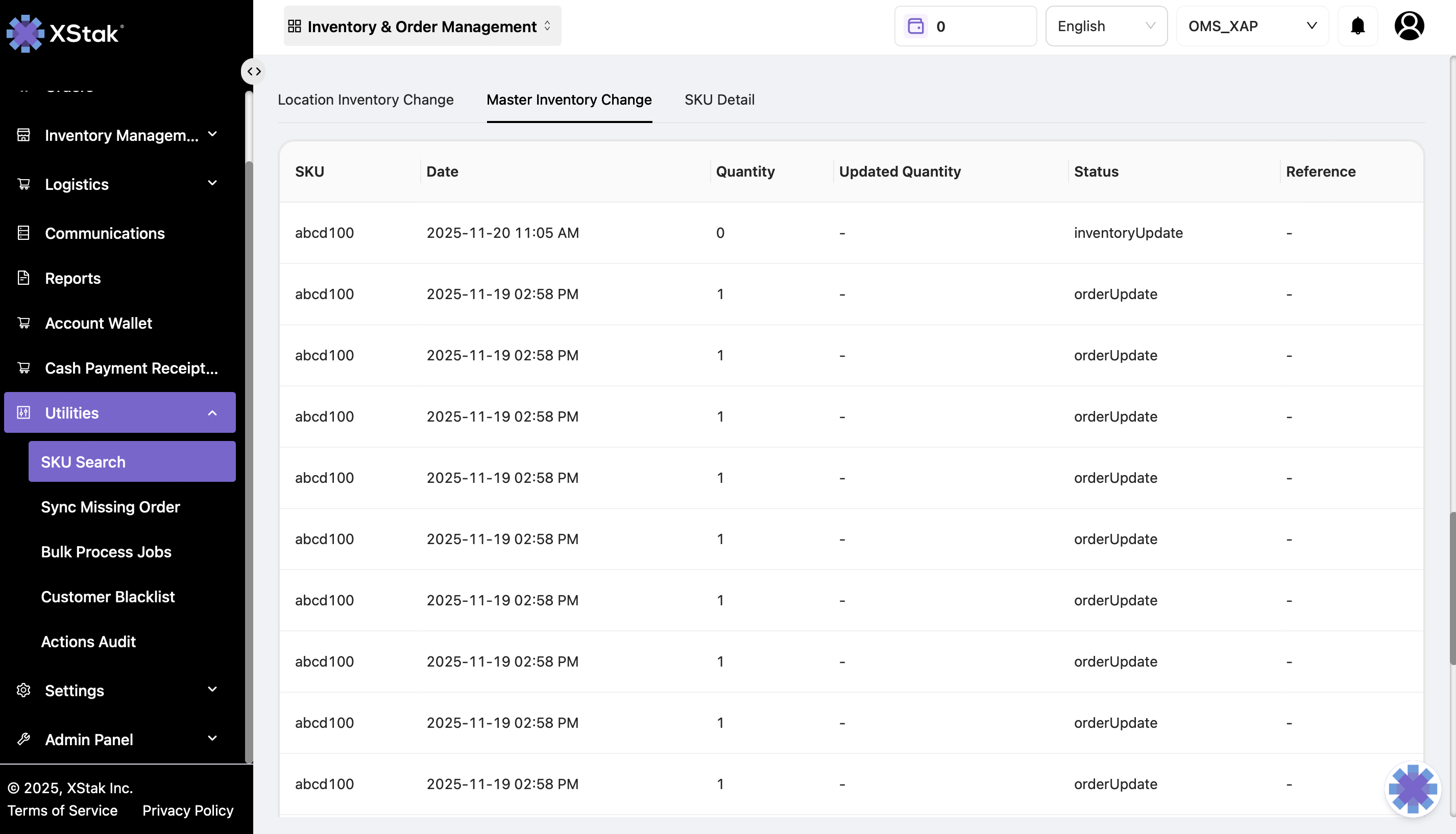
Master Inventory Change
Shows all changes reflected on the sales channels for the SKU.
Displayed Information:
-
SKU
-
Date of update
-
Quantity available on sales channels
-
Status of the inventory update
SKU Details
Provides comprehensive information about the SKU's order history and status.
Displayed Information:
-
Order ID – Shows orders placed for this SKU
-
Date – When each order was placed
-
Order Quantity – Quantity of SKU in each order
-
Status – Current status of the orders in OE
Summary
The SKU Search module is a powerful utility that enables:
-
Quick inventory visibility across locations
-
Tracking of historical price and inventory changes
-
Detailed SKU order information
Clicking on each section provides deeper insights for operational decisions and helps maintain inventory accuracy.