
The Actions Audit tab provides a complete log of user actions performed by brand users within the OMS. This feature helps track changes made to settings, configurations, and other critical modules, ensuring accountability and transparency.
You can access it via:
Home → Utilities → Actions Audit
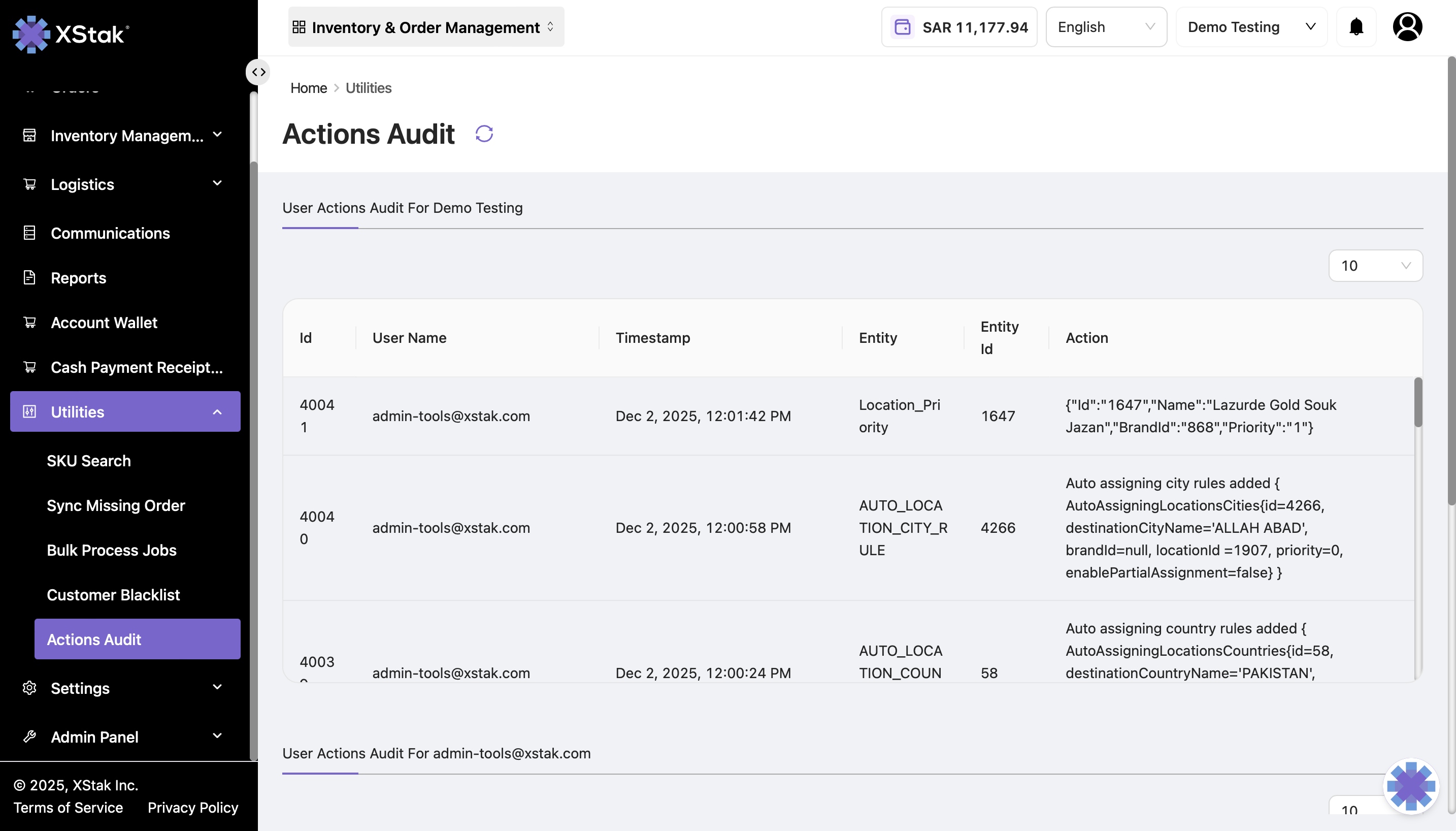
Key Features
-
User Tracking
-
Every action performed by a user is logged.
-
Example: Changing settings, adding or removing tags, updating courier information.
-
-
Logged Details
For each action, the following information is recorded:-
ID – The unique identifier of the action entry.
-
Username – The email address or username of the user who performed the action.
-
Timestamp – The date and time of the action.
-
Entity – The module or section where the action occurred.
-
Entity ID – The identifier of the specific record or item affected.
-
Action – A description of the action performed.
-
-
Audit and Compliance
-
Helps monitor changes and detect unauthorized modifications.
-
Provides an audit trail for troubleshooting or reviewing historical changes.
-
Example Entry
|
Id |
User Name |
Timestamp |
Entity |
Entity Id |
Action |
|---|---|---|---|---|---|
|
40041 |
2025-12-02 10:05 |
Settings |
101 |
Updated courier details |
Use Case
-
If a brand user changes settings, such as updating a courier token, modifying auto-assignment rules, or adding tags, the action is immediately reflected in this tab.
-
Administrators can review all user activities to ensure proper compliance and identify mistakes or unauthorized changes.