
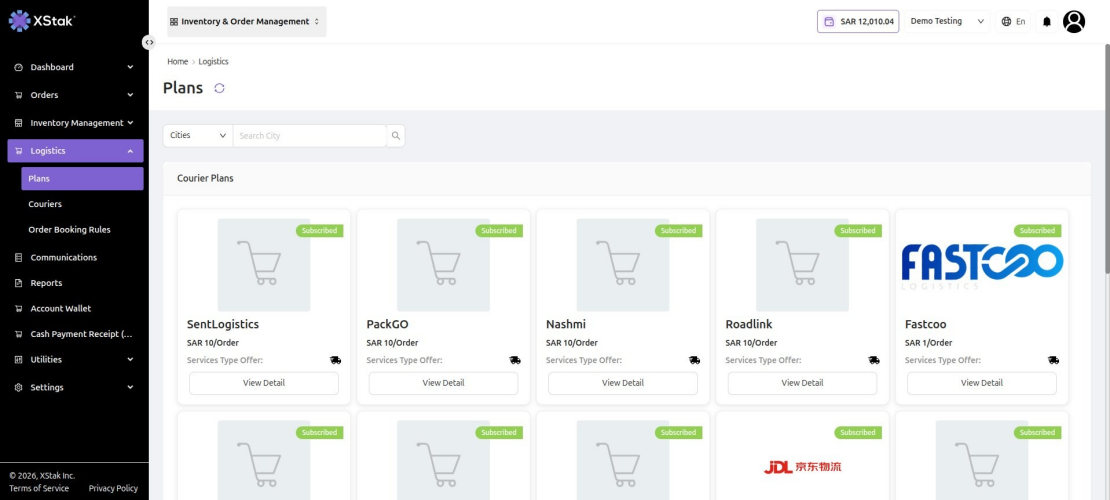
The Plans section displays all available courier service plans offered through XStak OMS. Users can browse, compare, and subscribe to plans from various logistics partners.
How to Access Plans
-
Click Logistics from the left sidebar.
-
Select Plans from the submenu.
-
Browse the available courier plans displayed as cards.
-
Use the Cities dropdown or Search City bar to filter plans by city.
-
Click View Detail on any courier card to view the complete plan information.
|
ℹ️ Plans marked with a green Subscribed badge indicate that your account is already enrolled in that courier's service plan. |