
How to Configure Sales Channels in OMS
Step 1: Access the Settings Module
-
From the sidebar, click Settings.
-
From the dropdown, select Sales Channels.
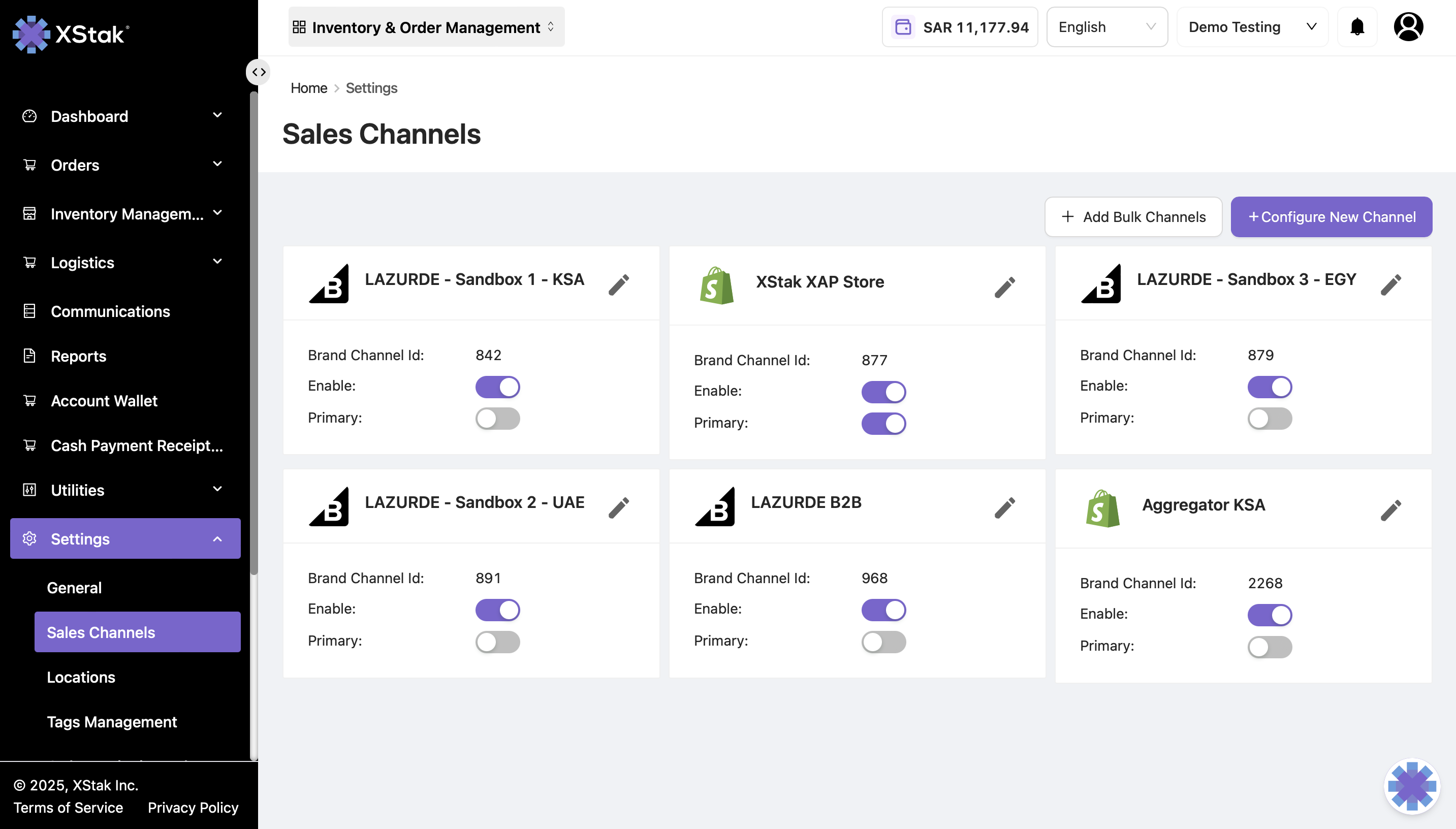
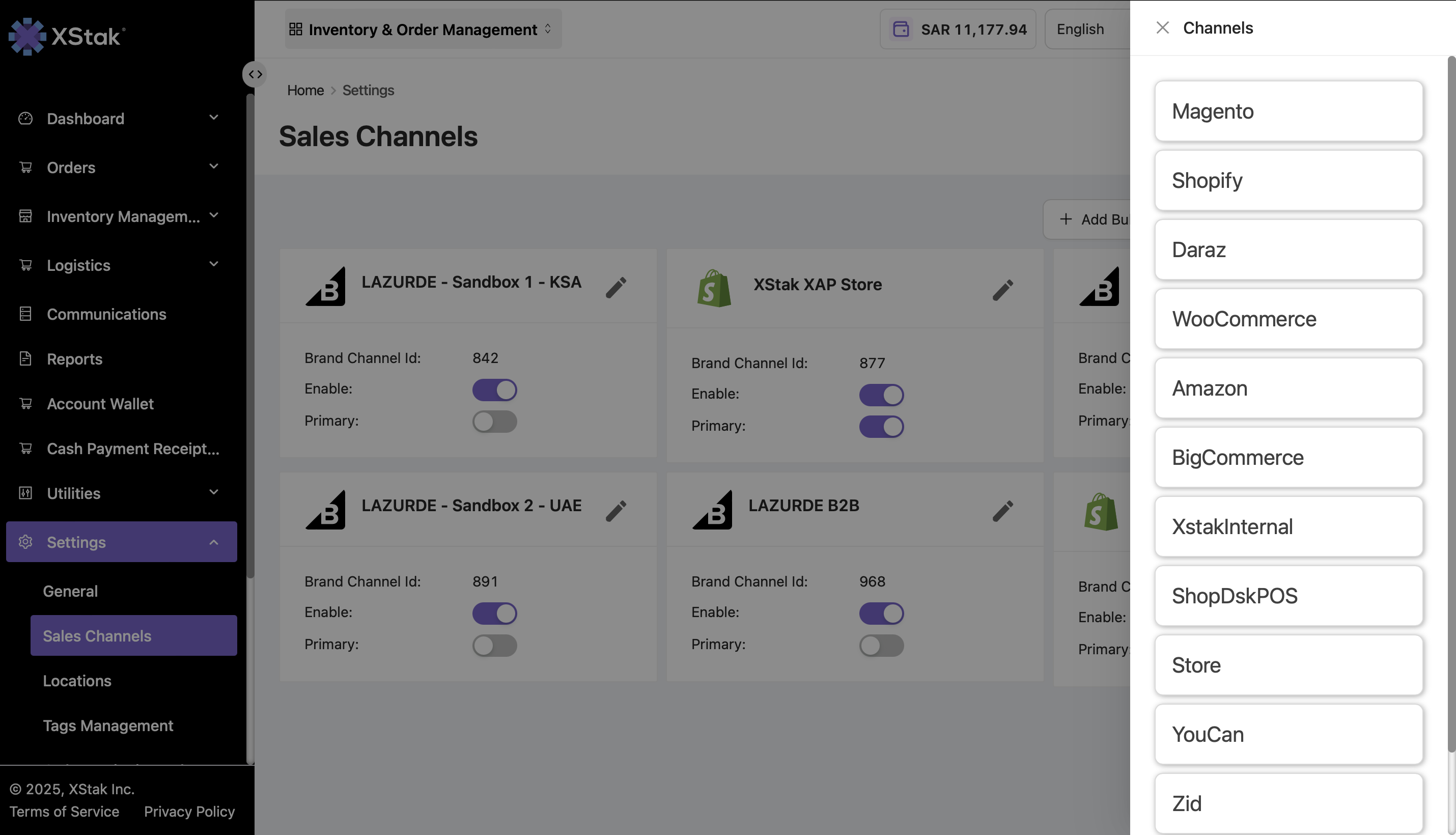
The Sales Channels module allows brands to configure their webstore integrations. OMS currently supports the following platforms:
-
Magento
-
Shopify
-
WooCommerce
-
Salla
-
Daraz
-
Amazon
-
BigCommerce
-
ShopDeskPOS
-
Zid
If a brand operates multiple sales channels, it can:
-
Designate a primary sales channel.
-
Enable or disable other channels as needed.
Important: OMS also allows brands to edit already configured sales channels, making it easy to update credentials, settings, or integration preferences.
Step 2: Configure a New Channel
-
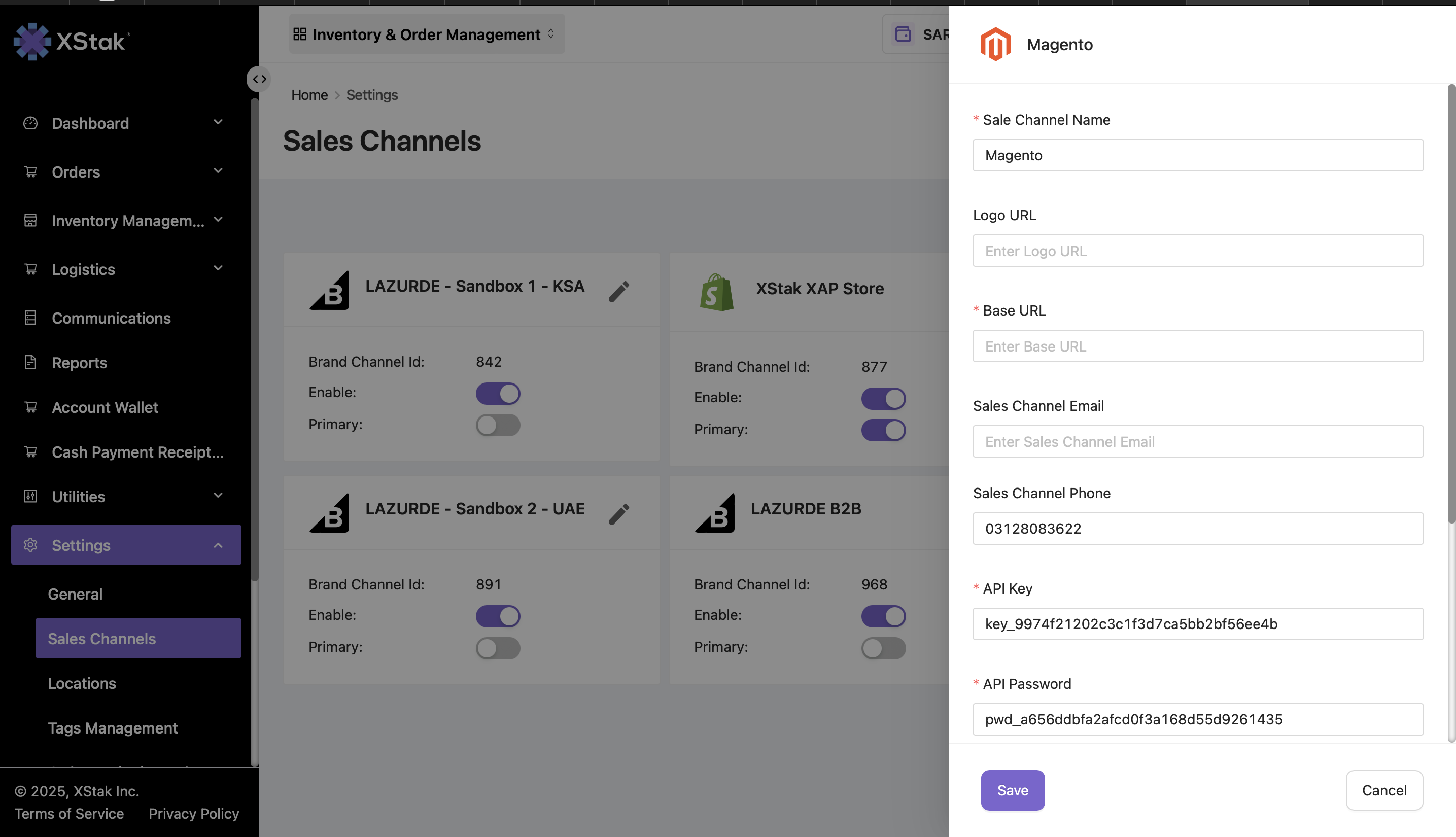
To add a new sales channel, click Configure New Channel.
-
Follow the on-screen instructions to complete the integration setup for your new channel.
Tips
-
Always verify that the primary sales channel is correctly assigned to ensure smooth order routing.
-
Ensure that inactive channels are disabled to avoid confusion or duplicate order processing.
-
Use the Configure New Channel option carefully to maintain accurate integration with your OMS.