
SKU's Search
The SKU Search utility allows you to quickly retrieve detailed information about any SKU. The information is presented in multiple segments, providing insights on inventory, pricing, and historical changes.
Steps to Access SKU Search
Click on the Utilities module from the sidebar.
Select SKU Search from the dropdown.
Enter the desired SKU in the search bar.
The detailed information about the SKU will be displayed, divided into the following sections:
Inventory Cluster
Price Details
Location Inventory Change
Master Inventory Change
SKU Detail
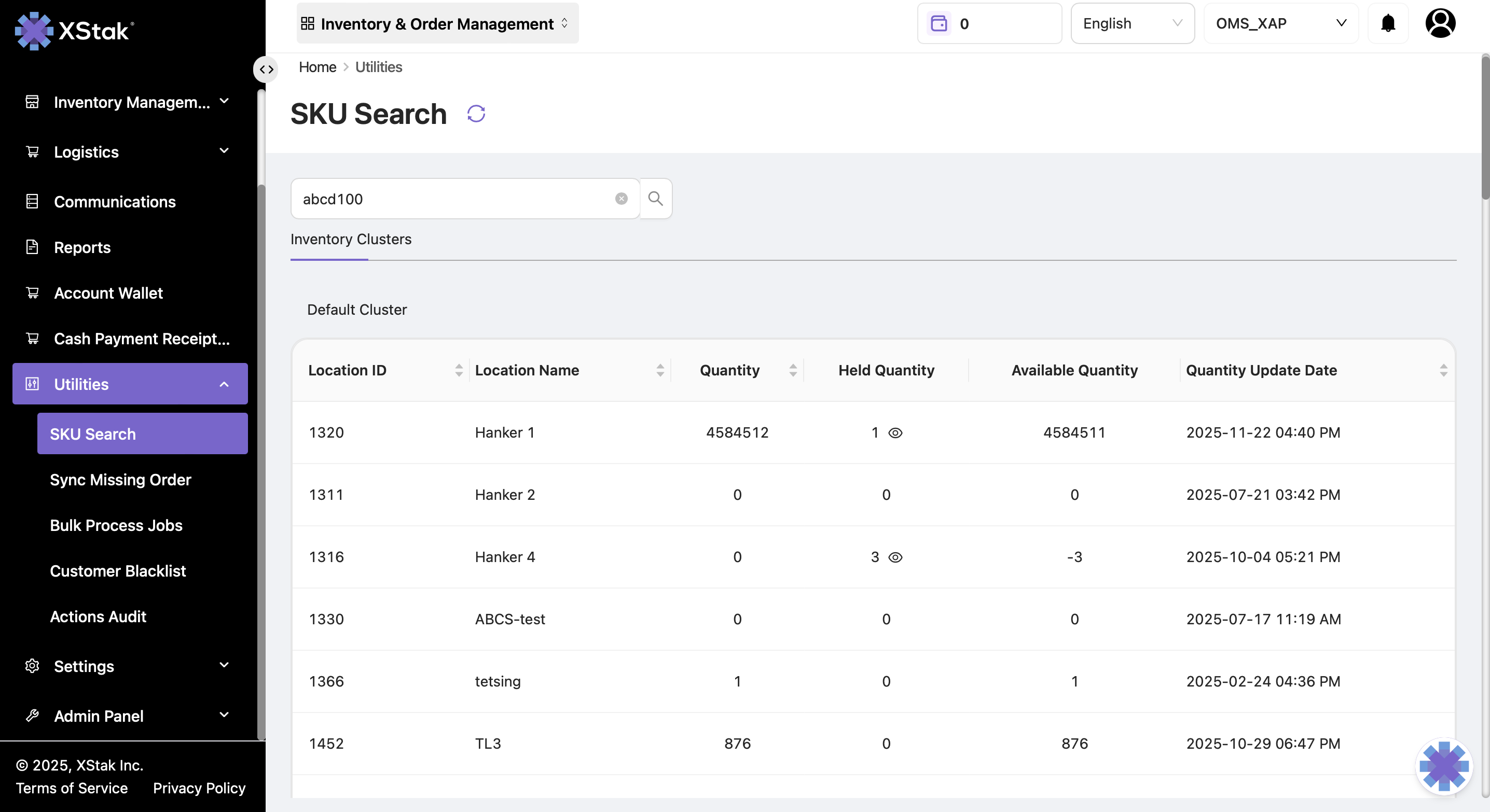
Inventory Cluster
Provides a comprehensive overview of inventory status across different locations.
Displayed Information:
Location ID & Name – Identification of each location
Quantity – Total stock at the location
Held Quantity – Inventory reserved and not available for sale
Available Qty – Stock available for sale
Quantity Updated Date – Last date the quantity was updated
Cluster Available Quantity:
Represents the sum of available quantities across all locations
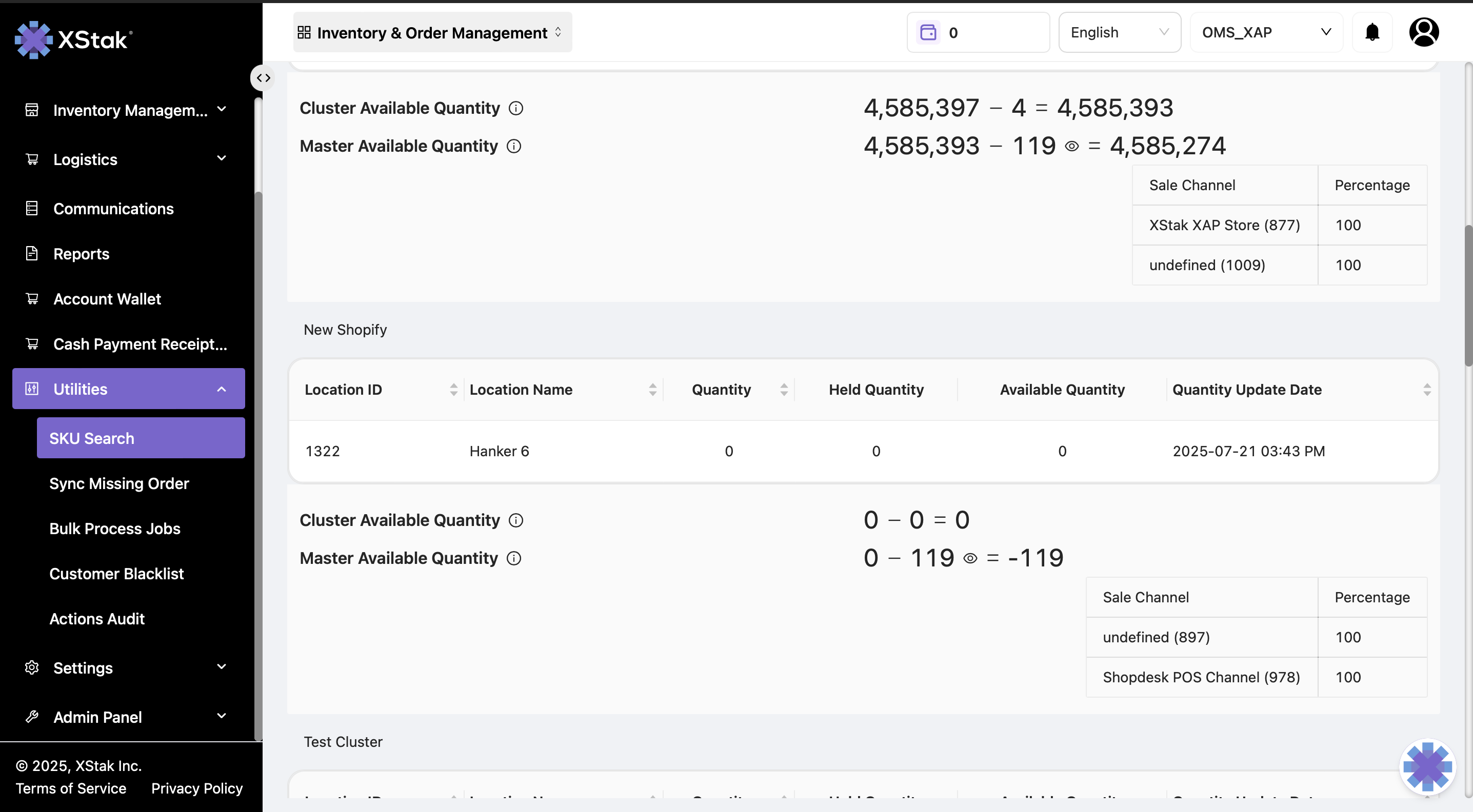
Price Detail
Shows all past price update jobs for the selected SKU.
Displayed Information:
Job ID
Currency
Price & Special Price
Product Creation & Update Date
Email of the user who performed the update
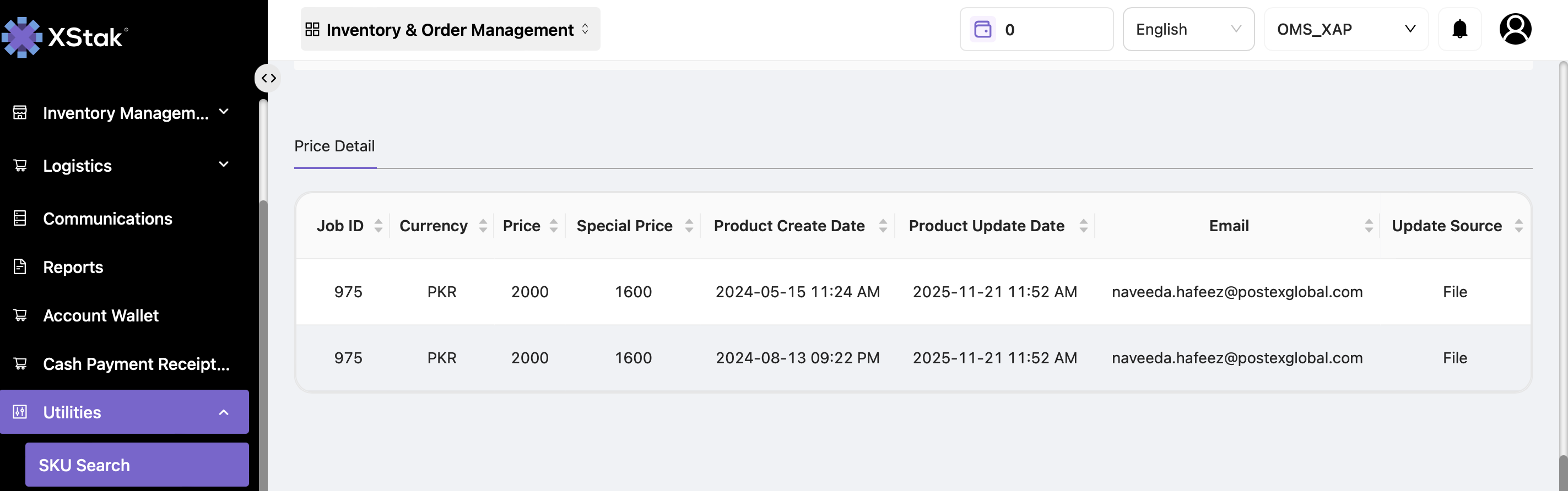
Location Inventory Change
Provides historical details of inventory updates for a specific SKU.
Displayed Information:
SKU
Date of update
Quantity updated (added or removed)
Reason for the update
Location Name
Tip:
To view quantity for a specific location, select the desired location from the options.
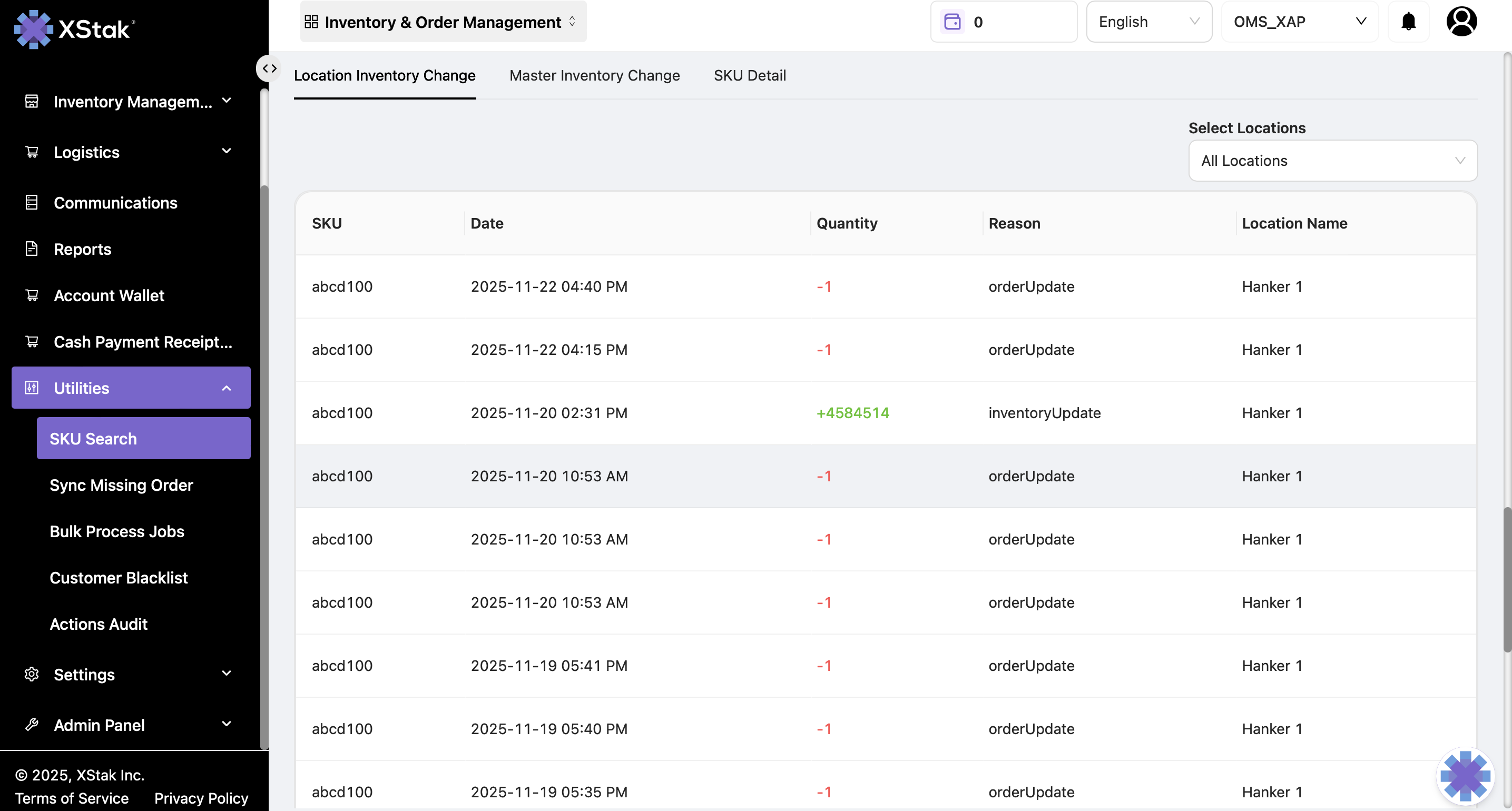
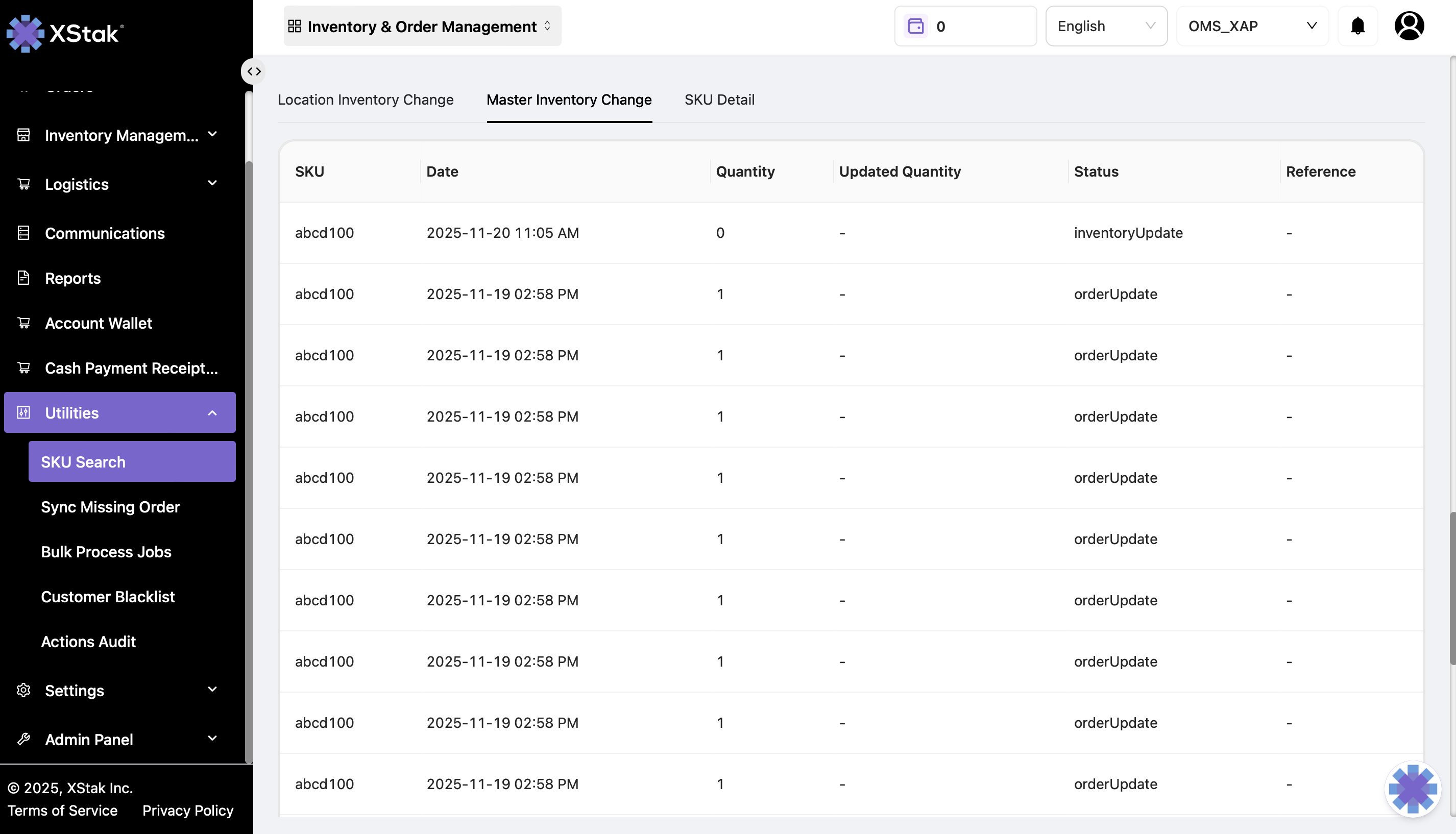
Master Inventory Change
Shows all changes reflected on the sales channels for the SKU.
Displayed Information:
SKU
Date of update
Quantity available on sales channels
Status of the inventory update
SKU Detail
Provides comprehensive information about the SKU's order history and status.
Displayed Information:
Order ID – Shows orders placed for this SKU
Date – When each order was placed
Order Quantity – Quantity of SKU in each order
Status – Current status of the orders in OE
Summary
The SKU Search module is a powerful utility that enables:
Quick inventory visibility across locations
Tracking of historical price and inventory changes
Detailed SKU order information
Clicking on each section provides deeper insights for operational decisions and helps maintain inventory accuracy.