
Sale Channel
How to Configure Sales Channels in OMS
Step 1: Access the Settings Module
From the sidebar, click on Settings.
From the dropdown, select Sales Channels.
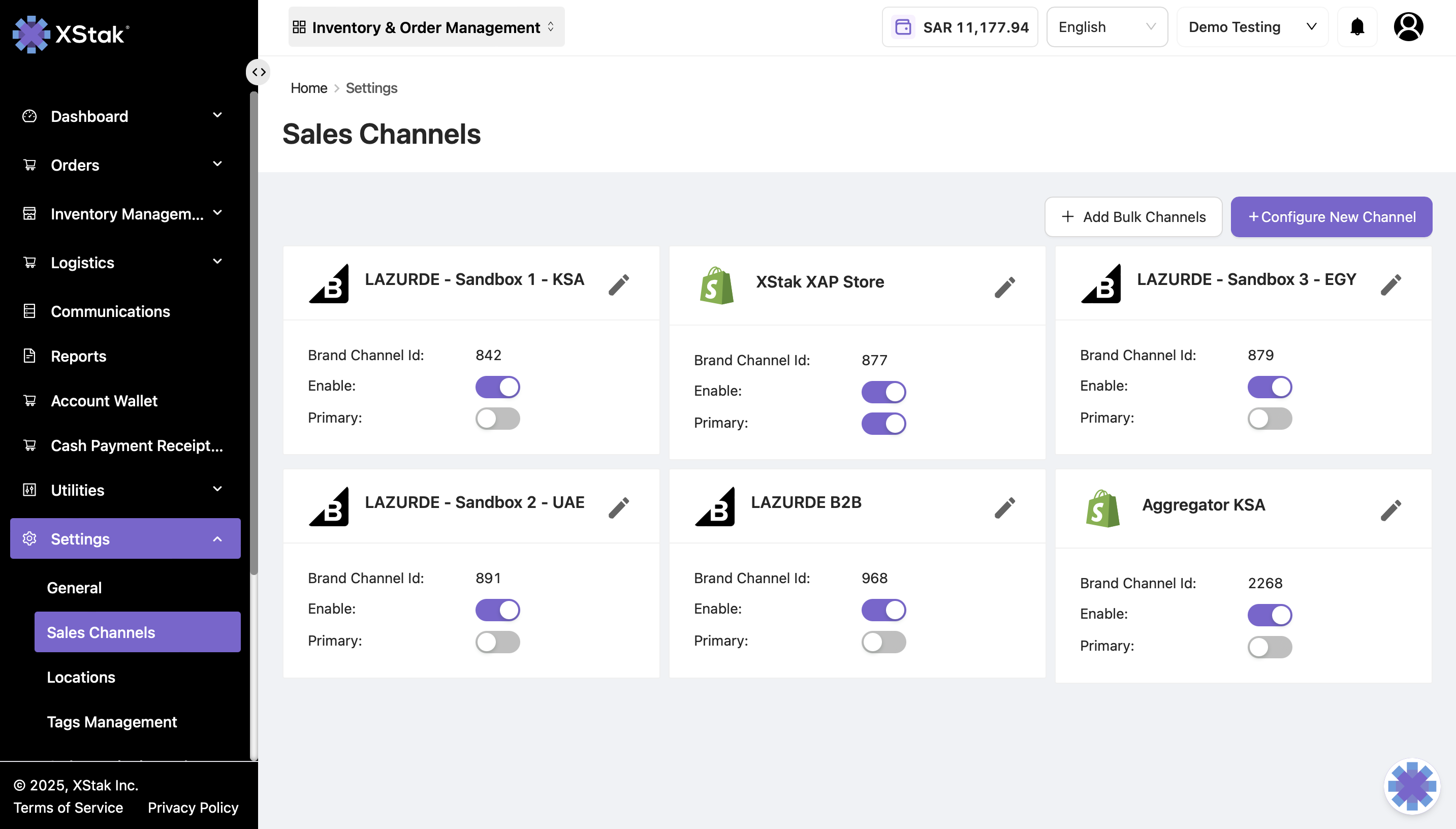
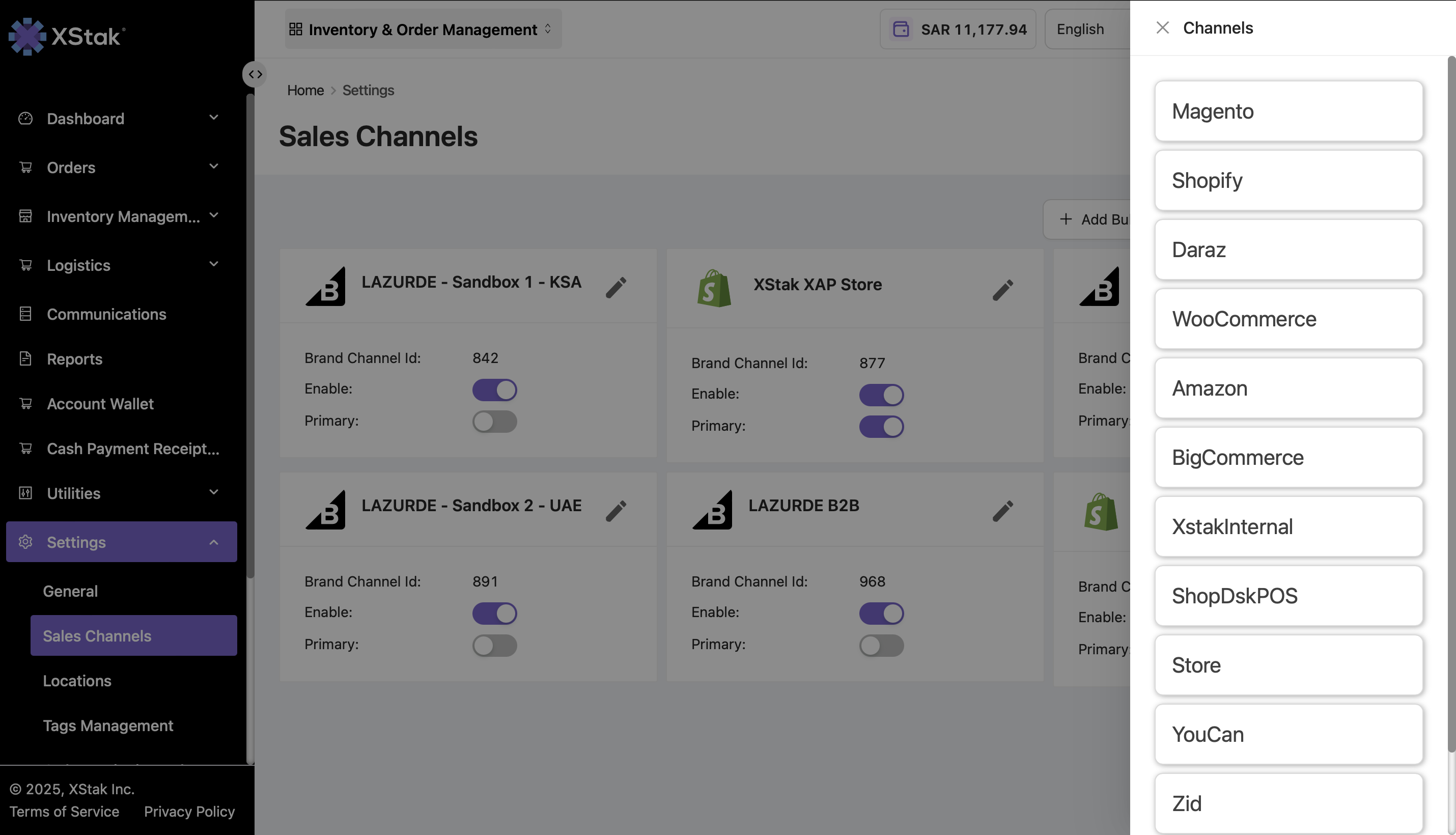
The Sales Channels module allows brands to configure their webstore integrations. OMS currently supports:
Magento
Shopify
WooCommerce
Salla
Daraz
Amazon
BigCommerce
ShopDeskPOS
Zid
If a brand operates multiple sales channels, they can:
Designate a Primary Sales Channel
Enable or disable other channels as needed
Important: OMS also allows brands to edit the details of already configured sales channels, making it easy to update credentials, settings, or integration preferences.
Step 2 : Configure a New Channel
To add a new sales channel, click Configure New Channel.
Follow the on-screen instructions to complete the integration setup for your new channel.
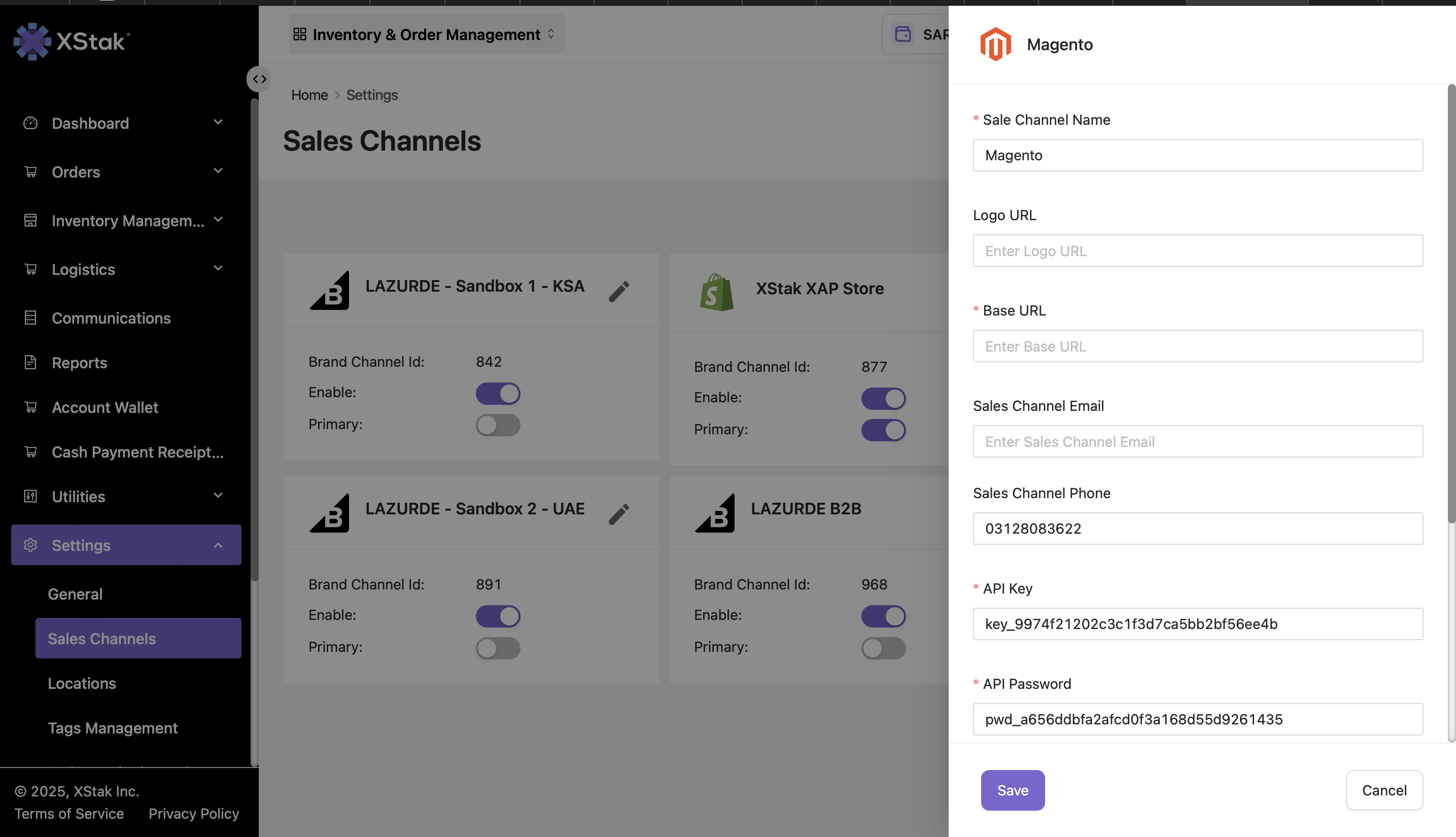
Tips:
Always verify that the Primary Sales Channel is correctly assigned to ensure smooth order routing.
Ensure that inactive channels are disabled to avoid confusion or duplicate order processing.
Use the Configure New Channel option carefully to maintain accurate integration with your OMS.