
Release Notes - January 2026
.gif?inst-v=097896e3-d247-4df8-87db-b902910c452a)
Release Notes - OE - January 2026
Welcome to the XStak’s January 2026 Release Notes for OMS! We're excited to share with you the latest updates and enhancements to our product and services. This comprehensive overview will provide you with valuable insights into the new features and improvements we've implemented over the past month.
New Features
Courier Integration
Daewoo Fastex Courier Integration
Daewoo Fastex is now integrated with OMS, allowing users to book shipments, generate tracking numbers, and monitor deliveries directly from the system. Courier booking rules defined in OMS can be applied when creating shipments to ensure they follow company policies and preferred handling procedures.
Impact:
Enables shipment booking and tracking directly from OMS without using external courier portals.
Ensures shipments follow company-defined booking rules and handling policies.
Improves delivery visibility and operational efficiency with real-time tracking updates.n
Magento Integration
OMS is now integrated with Magento, allowing orders from Magento stores to automatically flow into OMS for faster and smoother processing.
Impact:
Eliminates manual order entry between Magento and OMS
Ensures faster order processing and shipment creation
Keeps order statuses updated in one place
Helps brands manage sales and logistics more efficiently from OMS
OMS Integration with ERP Odoo
OMS is now integrated with Odoo, allowing automatic syncing of products, inventory, orders, shipments, and financial information between the two systems.
This ensures all business data stays accurate, up-to-date, and consistent across OMS and Odoo.
Key Capabilities:
OMS successfully authenticates with Odoo to enable secure and reliable data exchane across all integrations (Authentication and connectivity, master data sync, inventory sync, order creation and sync, order status updates, shipping and fulfillments, and invoicing and payments)
Impact:
Ensures a single source of truth across systems
All product, order, and inventory information is automatically updated between OMS and Odoo.
Reduces manual work and mistakes in tracking orders, stock, and payments.
Makes operations faster, smoother, and more reliable.
Product Images in Picklist
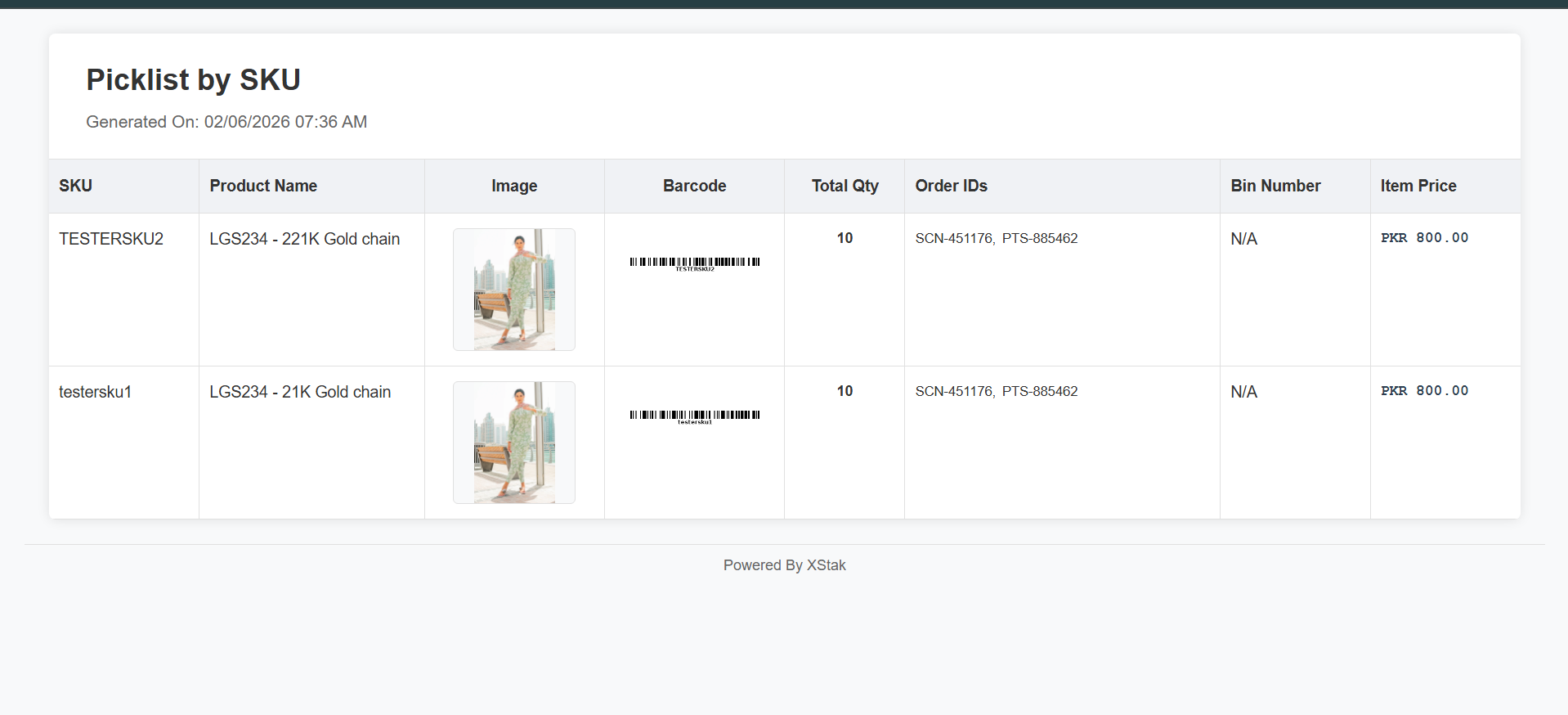
The OMS picklist now includes product images along with SKU, Order ID, and Quantity enabling brands to easily identify items during the picking process.
Key Capabilities:
Displays Order Id, SKU, product name, image, barcode, and quantity.
Provides a visual reference for each product on the picklist
Impact:
Helps faster product identification by design and color and appearance
Improves picking accuracy and speed
Reduces errors and manual verification effort
Improvements
1. Quick Edits Enhancement
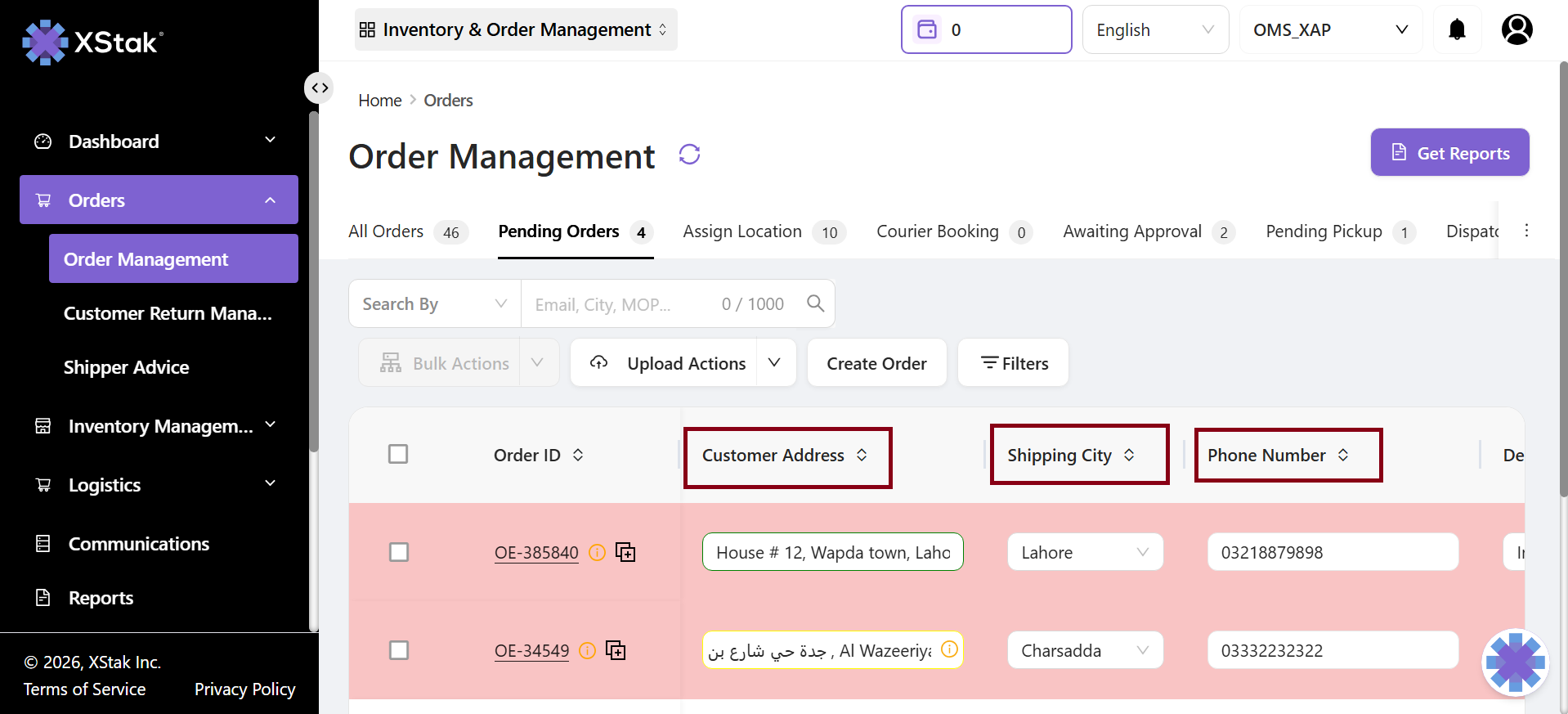
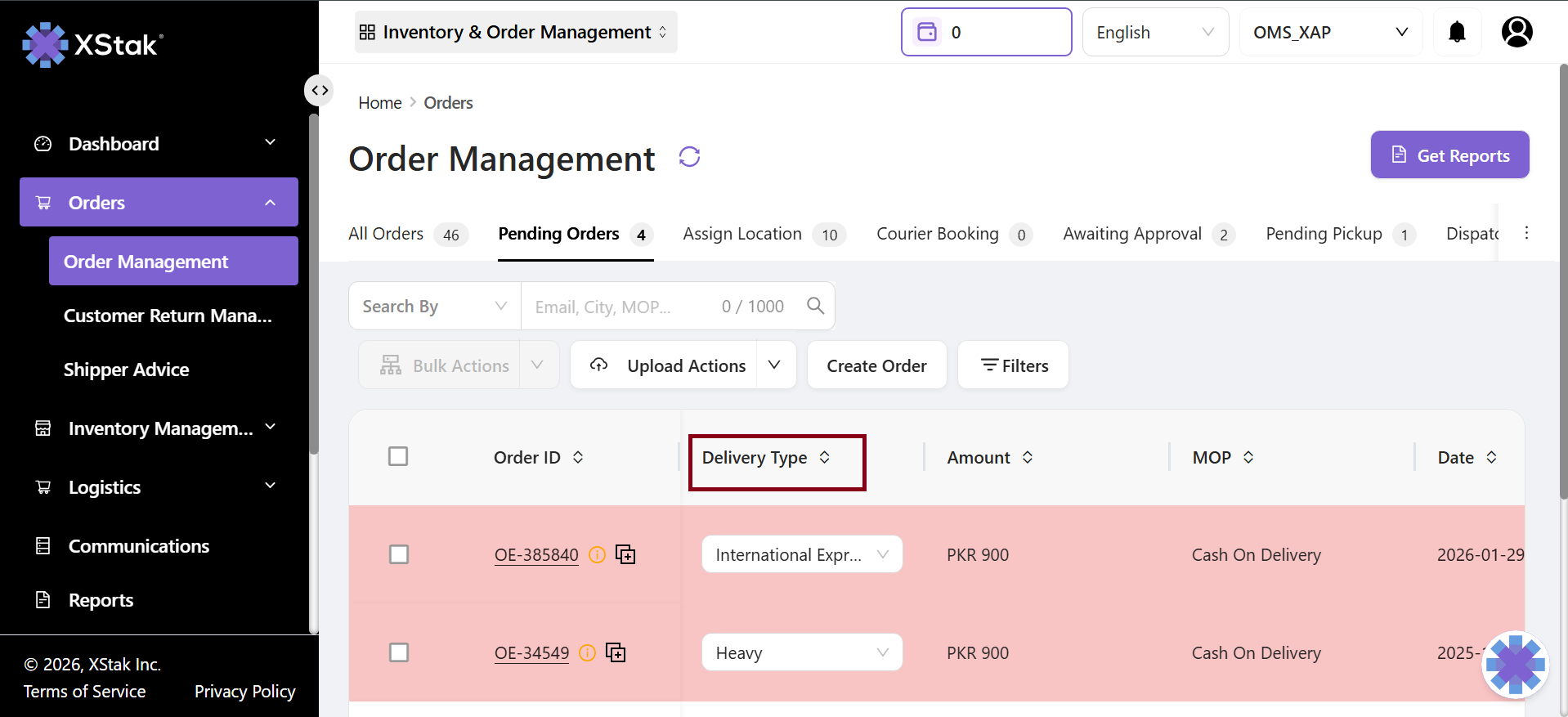
Queue-Based Quick Edits is an improvememnt in OMS to quick edit funtionality, updates are now processed one by one in a controlled queue. It makes edits more reliable and prevents conflicts when multiple updates are made.
What’s New:
Quick Edits are now processed sequentially in a queue instead of all at once.
Ensures all changes, even simultaneous ones, are captured correctly.
Impact:
Ensures all edits are applied accurately.
Reduces operational errors and missed updates.
Provides a smoother and more dependable workflow for daily operations.
Enhances overall user experience and system stability
2. Multi-Location Filter in OMS
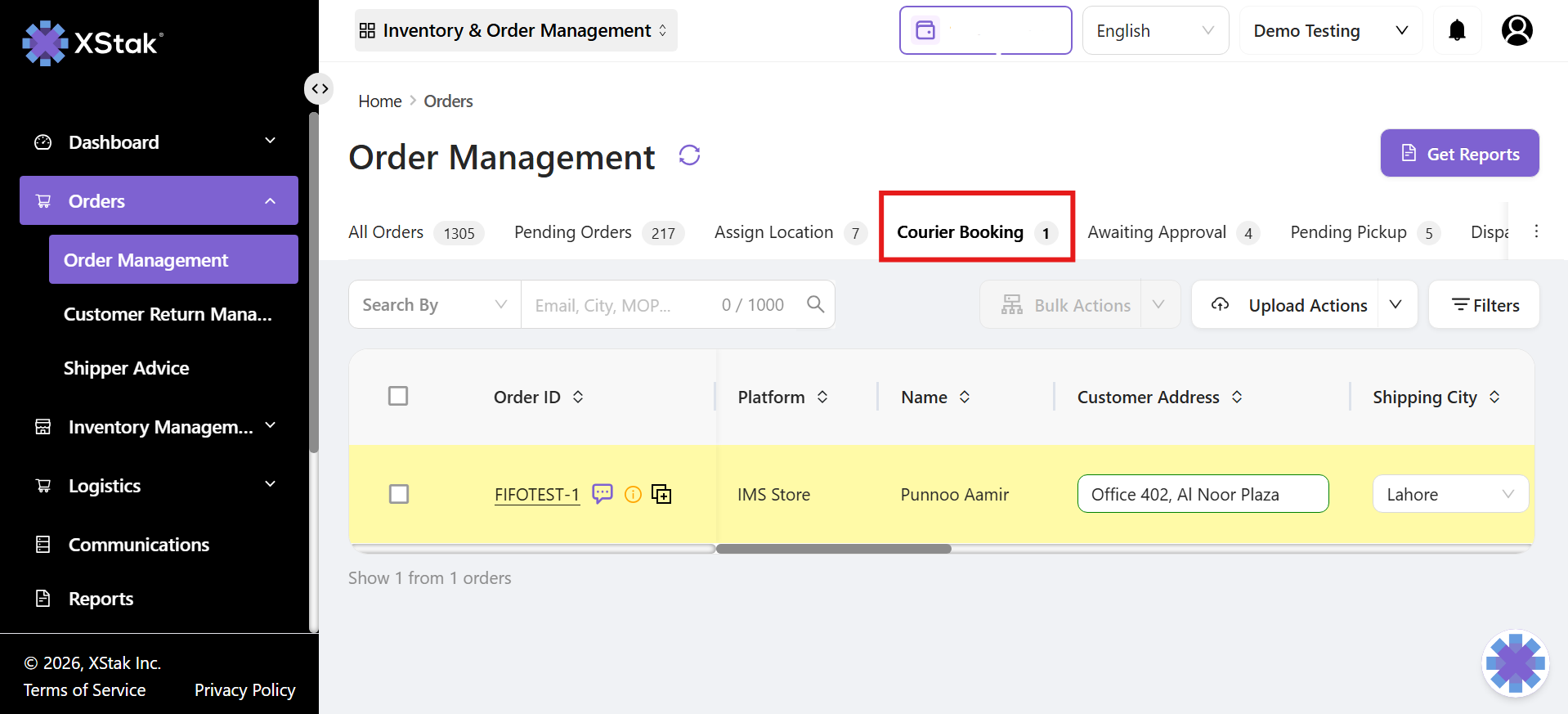
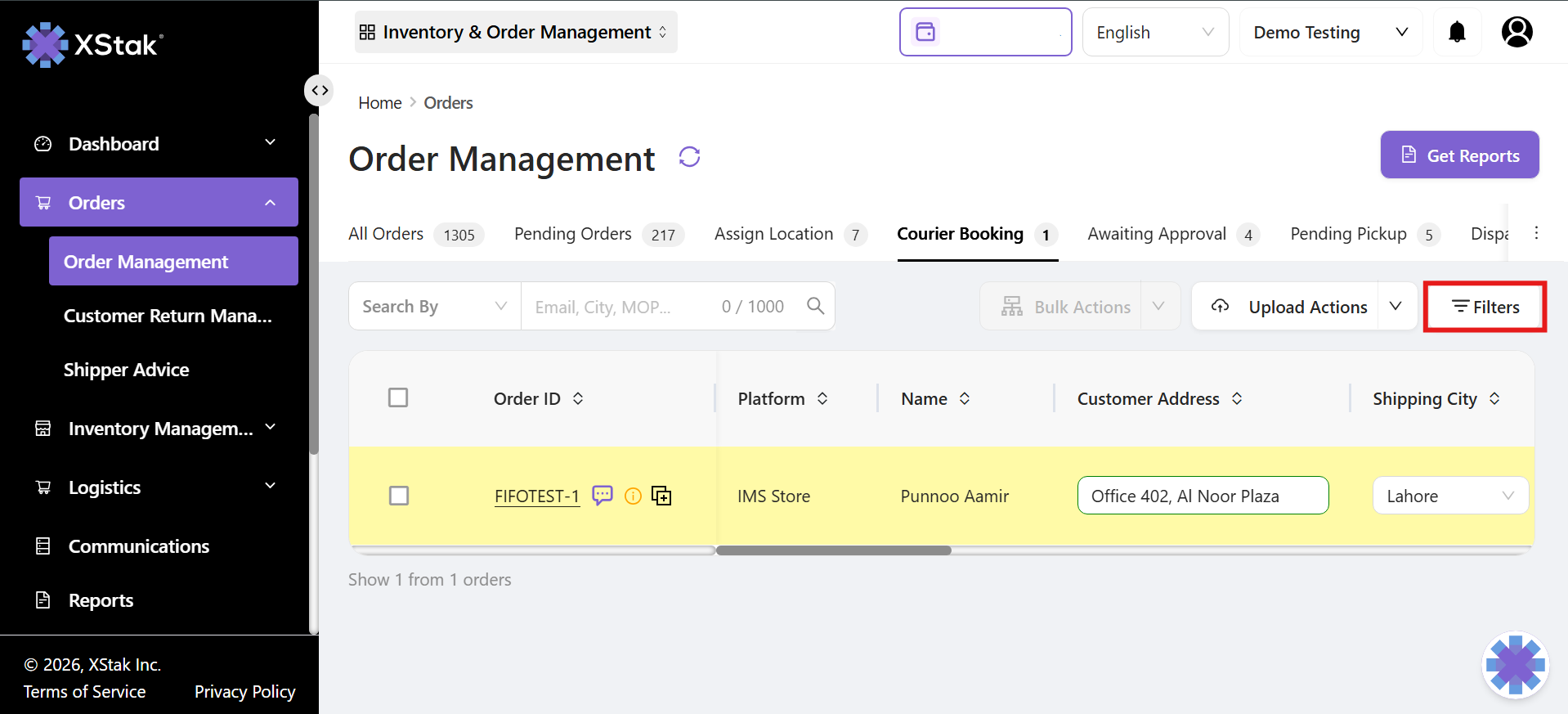
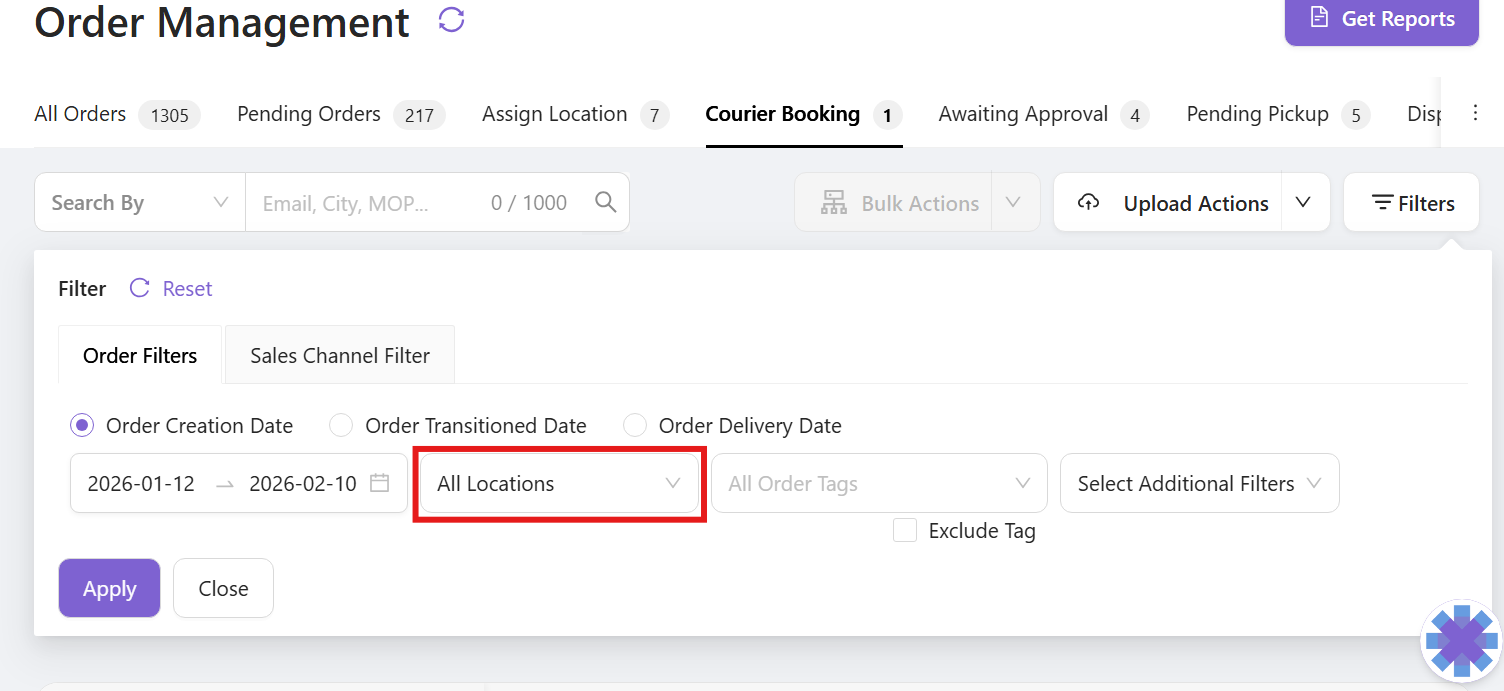
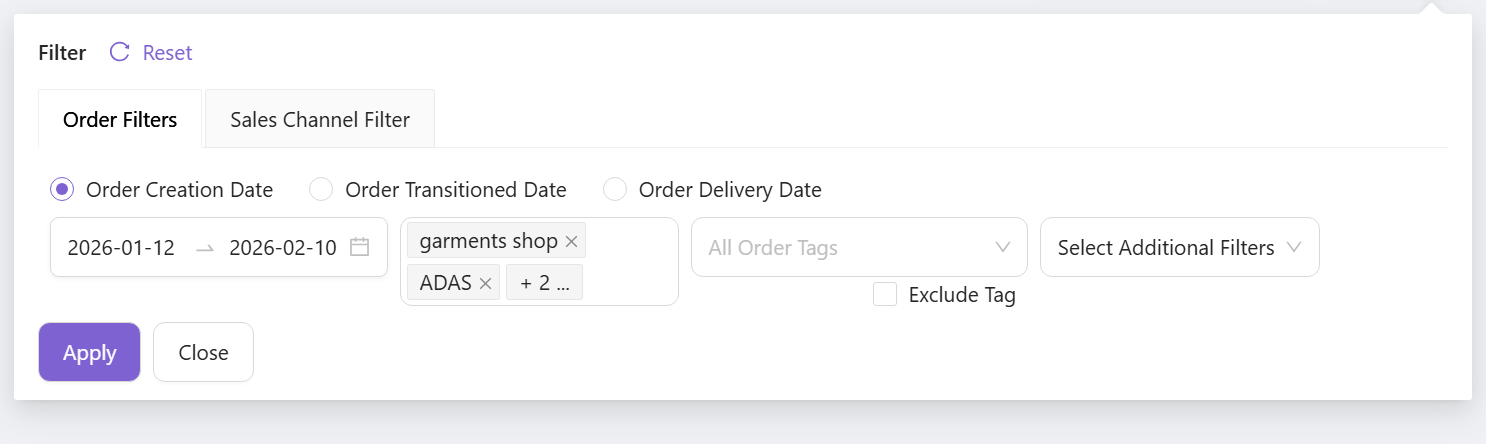
The Multi-Location Filter allows users to select and view orders from multiple locations at the same time. It helps users to get a complete view of orders across all selected stores or warehouses in one search.
What’s New:
Users can select multiple locations in OMS search filters
Search results display data from all selected locations in one view.
Impact:
Saves time by avoiding separate searches for each location.
Reduces manual effort and improves productivity.
Makes OMS search more convenient and user-friendly
3. OMS Dump Report – Include Removed Items
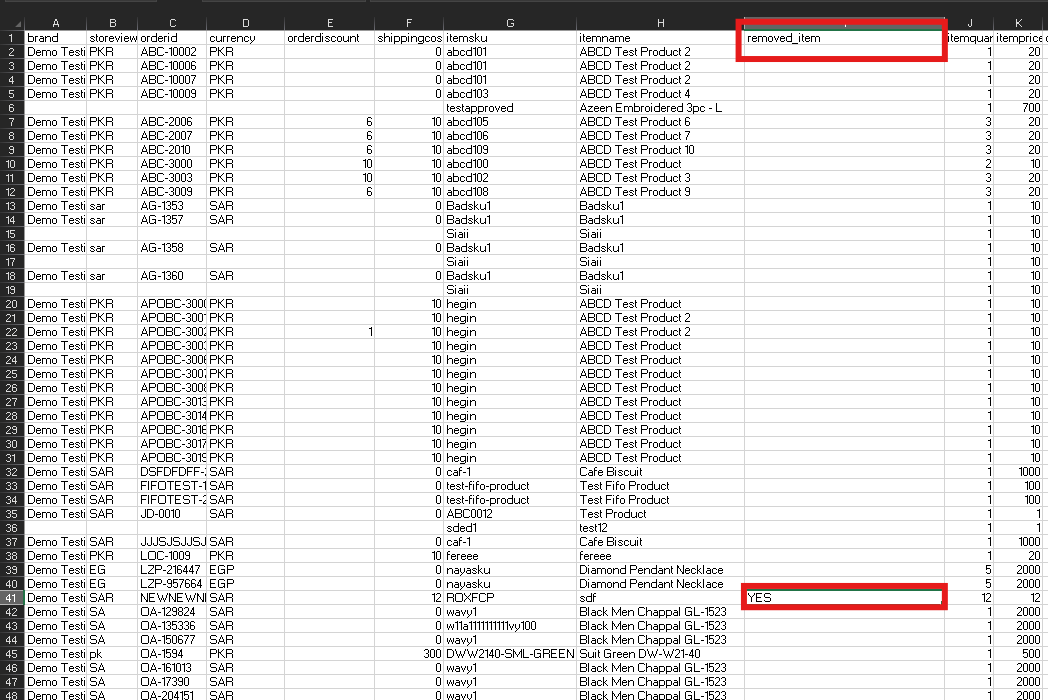
The OMS Dump Report now shows all items in an order, including those that were removed by the merchant. This ensures users can see a complete record of every SKU, including items removed or discounted.
What’s New:
Removed items are now included in the dump report.
Users can view all SKUs, discounts, and adjustments in one report.
Impact:
Full visibility of all order items
Ensures accurate reporting of discounts and removed SKUs
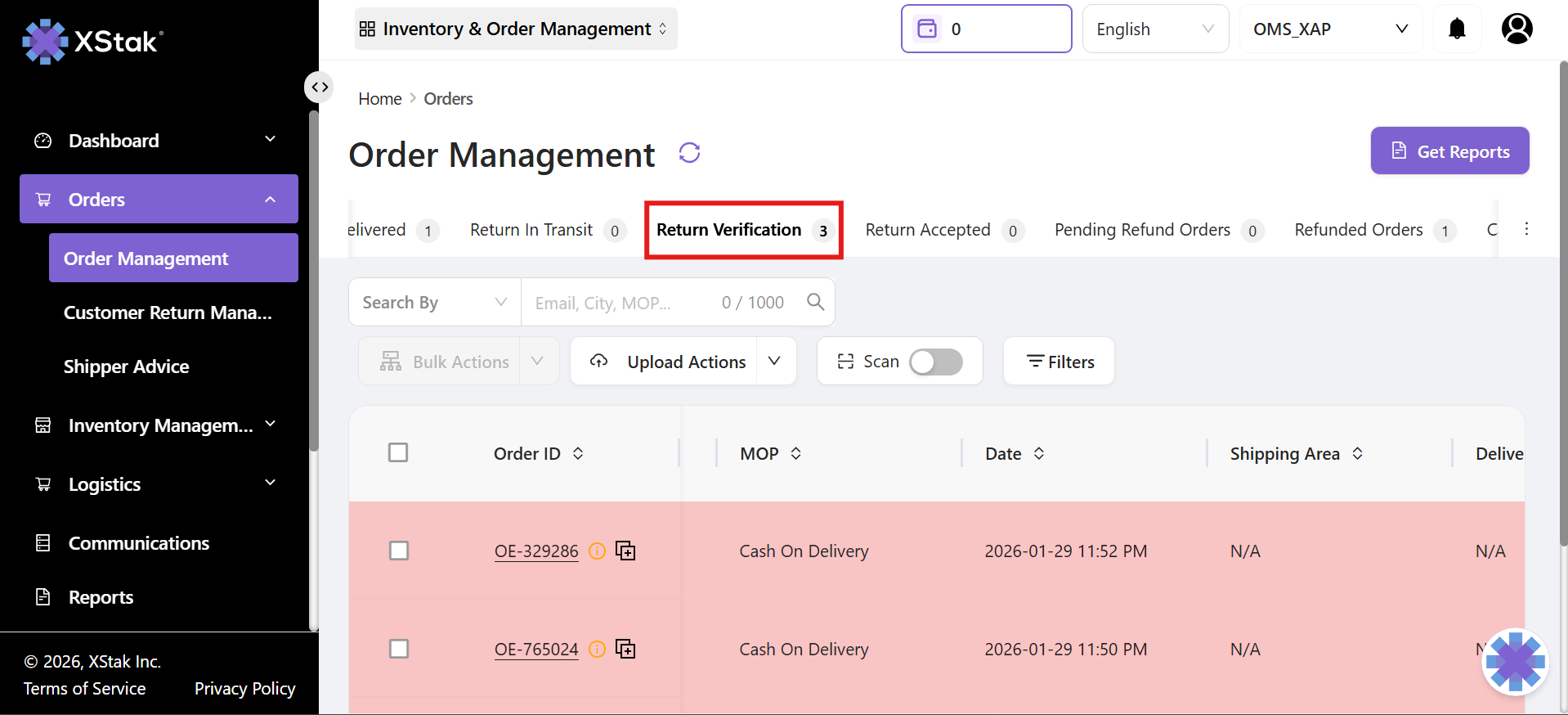
4. OMS Return Flow Enhancement – Return Verification
Return Verification is a new step in OMS that appears when a returned order reaches the warehouse. It allows brands to check returned items and confirm their condition before the return is completed.
What’s new:
Orders returned by the courier now move to a Return Verification tab instead of going directly to Returned Orders.
Brands can check each item, mark it as QC Passed or QC Failed, and ensure everything is correct before closing the return.
Once all items are verified, the order automatically moves to Returned Orders.
Impact:
Users can clearly see which returns are still in transit and which are physically received at the warehouse.
Reduces errors caused by relying only on courier updates.
Provides better control and visibility over the return process.
5. BlueEx Sub-Courier Support for Multiple Locations
The BlueEx Sub-Courier allows brands to manage multiple pickup locations under BlueEx in OMS. Each location works as a separate sub-courier, with its own booking, AWB generation, and tracking, giving full control over shipments from different warehouses or stores
What’s new:
Multiple pickup locations can now be configured as separate sub-couriers in OMS.
Users can select the correct location during courier assignment.
Bookings, AWBs, and tracking are handled independently for each sub-courier.
Impact:
Provides better control and flexibility for users managing multiple warehouses or stores.
Reduces errors in shipment bookings and ensures accurate pickup addresses.
Makes operations smoother and more efficient for multi-location businesses.
6. Shipper Advice Remarks
Shipper Remarks show note provided by the courier about a shipment or return. For example, if a customer returns a parcel, the courier shares the reason for the return with the brand. This information is now visible directly in OMS, saving time and confusion.
What’s New:
Users can now see all courier-provided notes and return reasons in one place within OMS.
Makes it easy for brands and operations teams to understand what happened with a shipment or return.
Impact:
Improves visibility of shipment instructions and important notes.
Helps operations handle orders more accurately and efficiently.
Reduces confusion and follow-ups related to shipments.
We appreciate your continued support and value your feedback as we strive to refine and improve our product OE and services. We encourage you to reach out to our dedicated support team with any questions, concerns, or suggestions you may have.
Thank you for choosing XStak as your trusted partner. We hope you find this month's release notes informative and inspiring. Stay tuned for more exciting updates in the future!