
Actions Audit
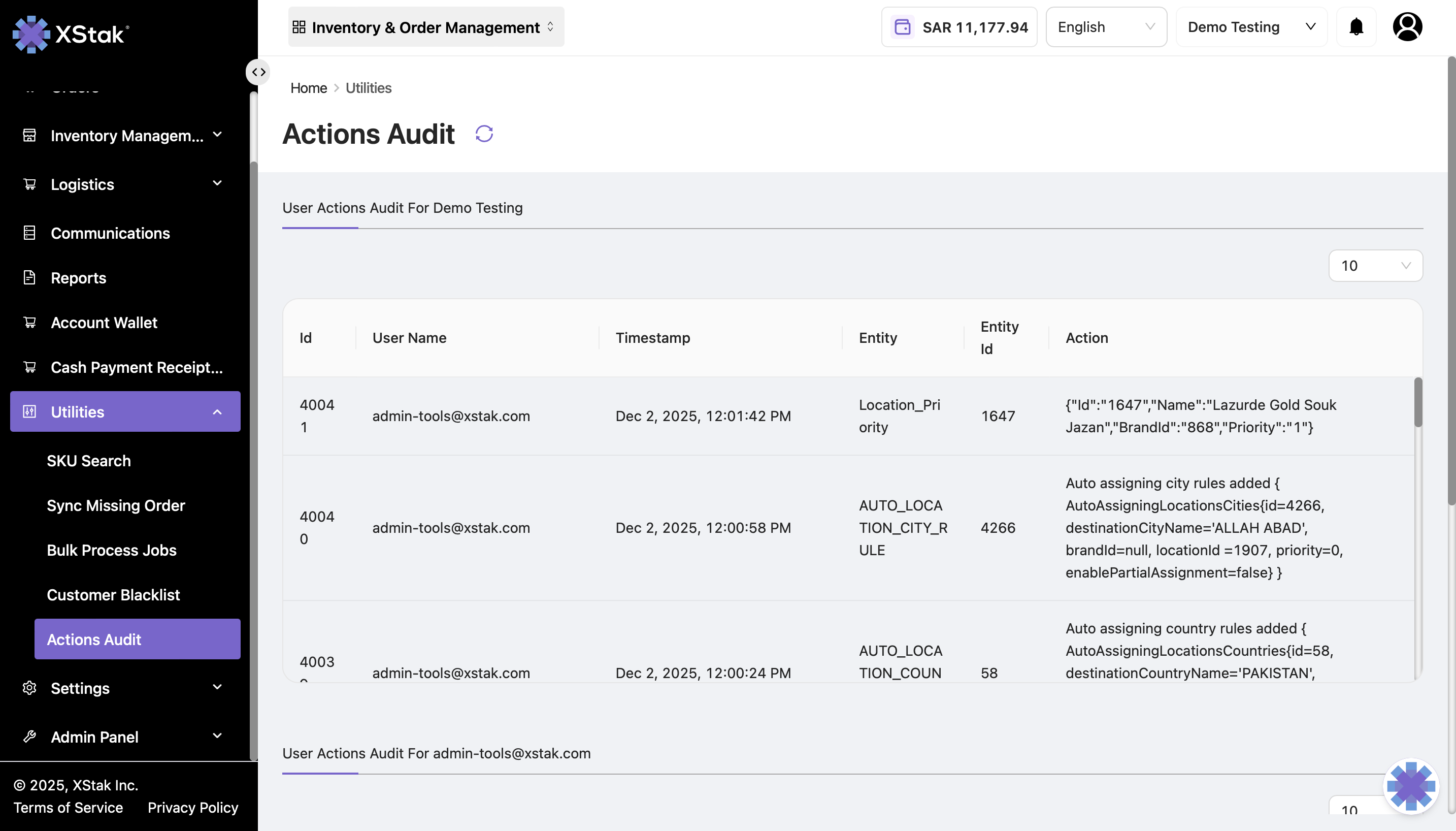
The Actions Audit tab provides a complete log of all user actions performed by brand users within the OMS. This feature helps track changes made in settings, configurations, or other critical modules, ensuring accountability and transparency.
You can access it via:
Home → Utilities → Actions Audit
Key Features
User Tracking
Every action performed by a user is logged.
Example: Changing settings, adding or removing tags, updating courier information.
Logged Details
For each action, the following information is recorded:Id – Unique identifier of the action entry
User Name – Email or username of the user who performed the action
Timestamp – Date and time of the action
Entity – The module or section where the action occurred
Entity Id – Identifier of the specific record or item affected
Action – Description of the action performed
Audit and Compliance
Helps monitor changes and detect unauthorized modifications.
Provides an audit trail for troubleshooting or reviewing historical changes.
Example Entry
Id | User Name | Timestamp | Entity | Entity Id | Action |
|---|---|---|---|---|---|
40041 | 2025-12-02 10:05 | Settings | 101 | Updated courier details |
Use Case
If a brand user changes settings (e.g., updates a courier token, modifies auto-assignment rules, or adds tags), the action will immediately reflect in this tab.
Administrators can review all user activities to ensure proper compliance and identify mistakes or unauthorized changes.